SkillAtlasSkill 详情

retrospective

[2026/07/22] MNN 3.

审核状态:已审核Quality 80Security 88

复制安装命令

用 Codex 或 Claude 安装复制这段 Prompt,粘贴到 Codex、Claude 或其他助手里,让它先审查 Skill 页面再帮你安装。

复制前请先查看来源、License 和安全提示。

项目 README

来源文件:README.md

抓取于 2026年8月29日

MNN

License Documentation 簡體中文版本 繁體中文版本 日本語バージョン MNN Homepage zread

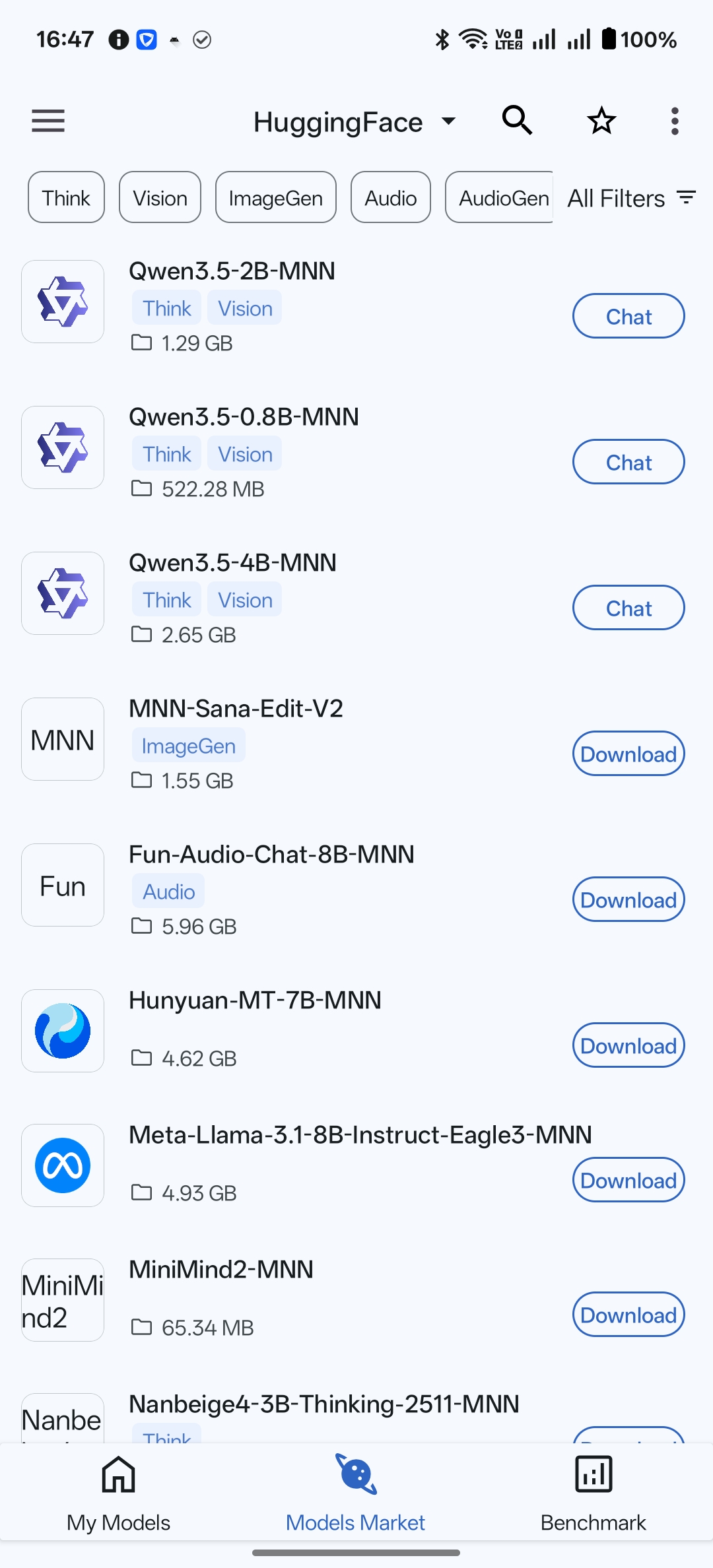
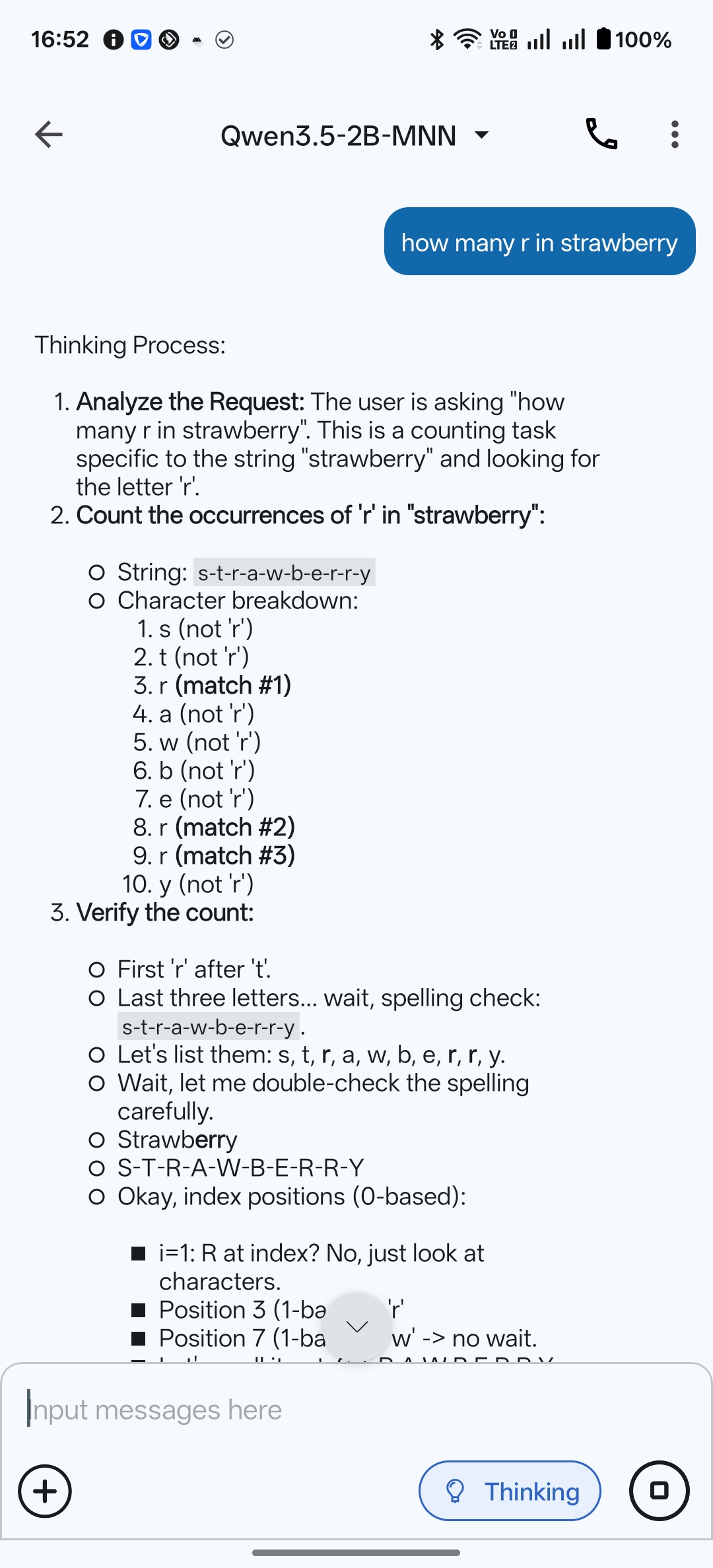
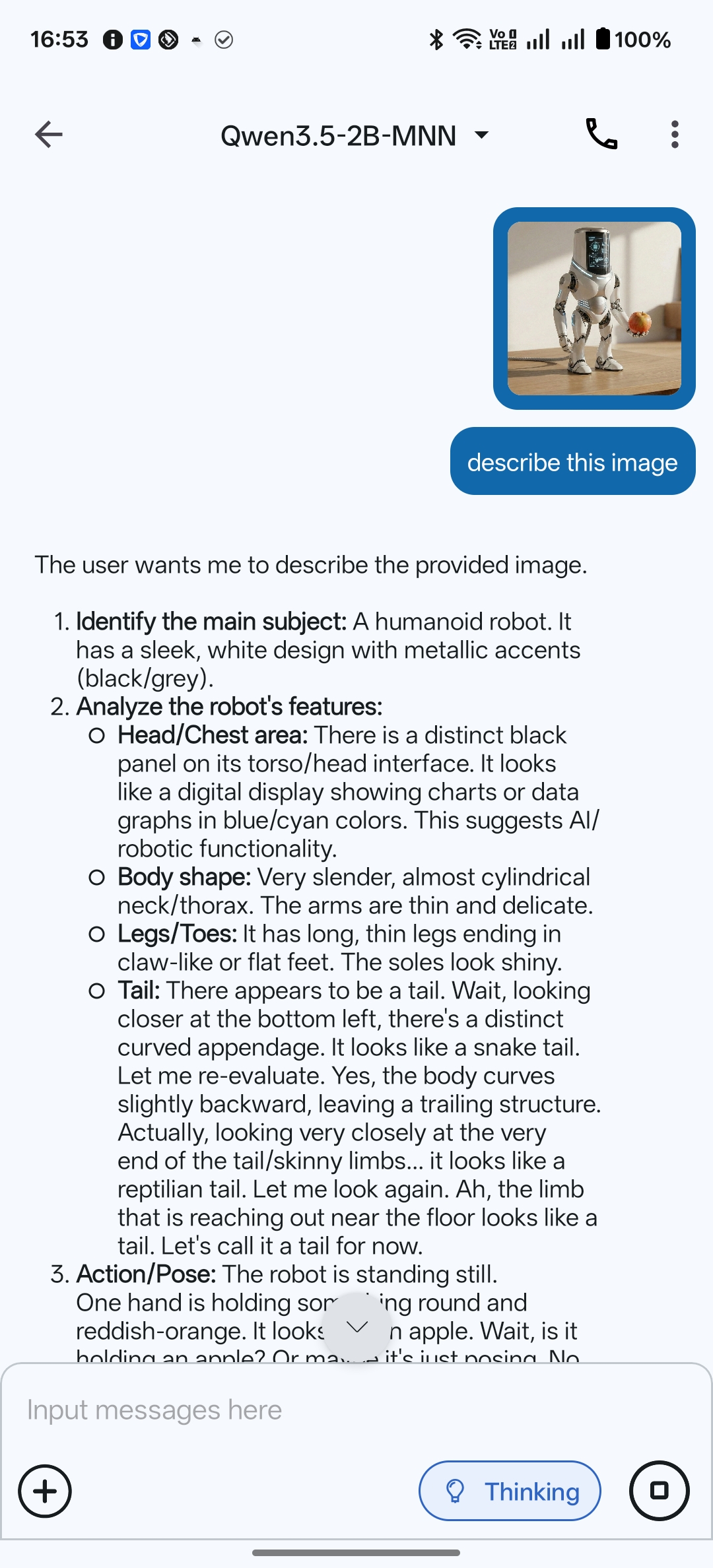
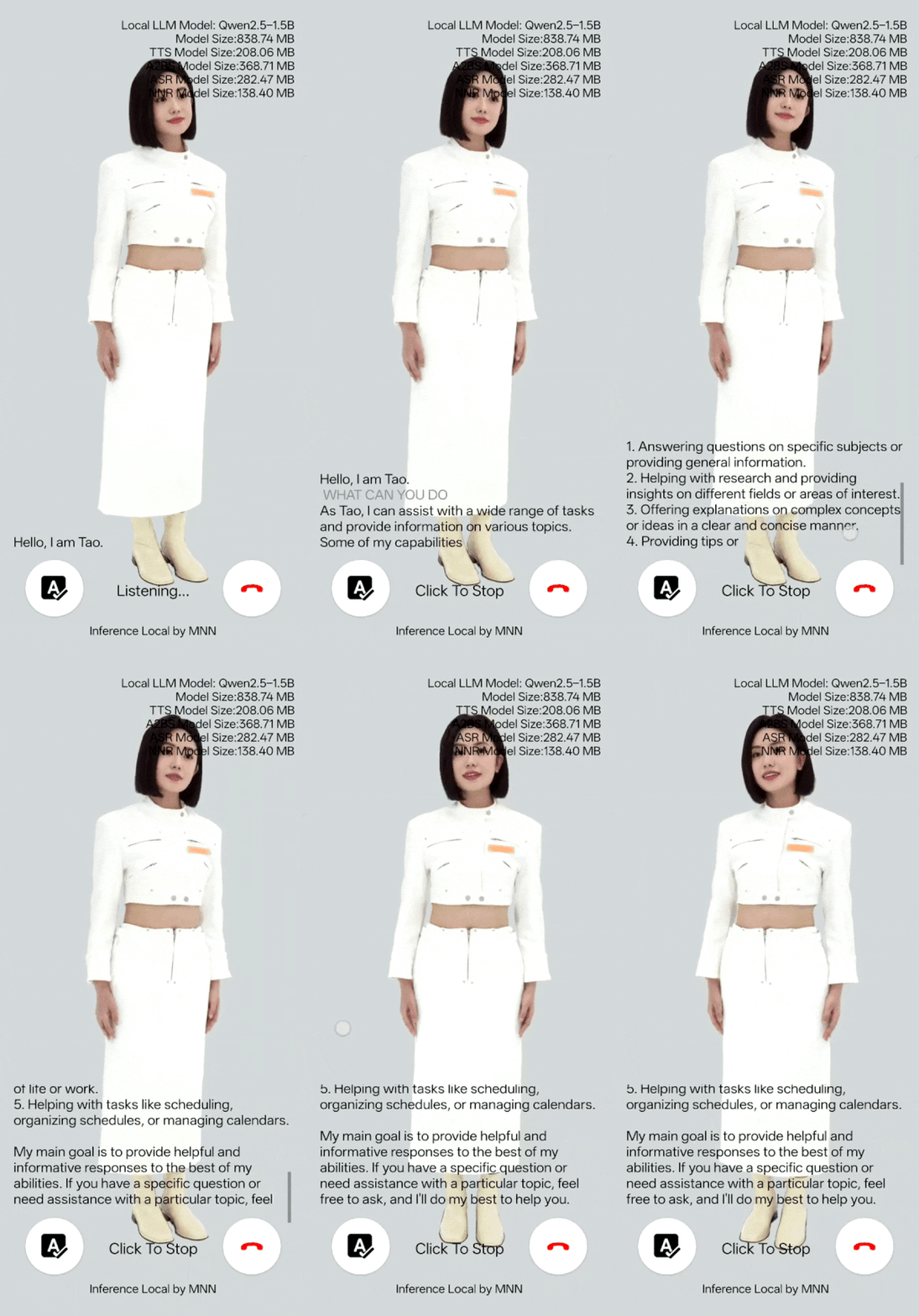
MNN Chat App TaoAvatar Sana

News 🔥

  • [2026/07/22] MNN 3.6.1 is released with a new 🚀 Hexagon backend, enabling accelerated model inference on Qualcomm Hexagon DSPs. Learn more.
History News
  • [2026/03/05] Support Qwen3.5 Series.

Icon Icon Icon

  • [2026/02/13] MNN-Sana-Edit-V2 is now available at apps, offering cartoon-style photo editing based on Sana.

Icon

  • [2025/10/16] Support Qwen3-VL Series.
  • [2025/06/11] New App MNN TaoAvatar released, you can talk with 3DAvatar offline with LLM, ASR, TTS, A2BS and NNR models all run local on your device!! MNN TaoAvatar

Icon

  • [2025/05/12] android app support qwen2.5 omni 3b and 7b MNN Chat App.

Icon Icon Icon

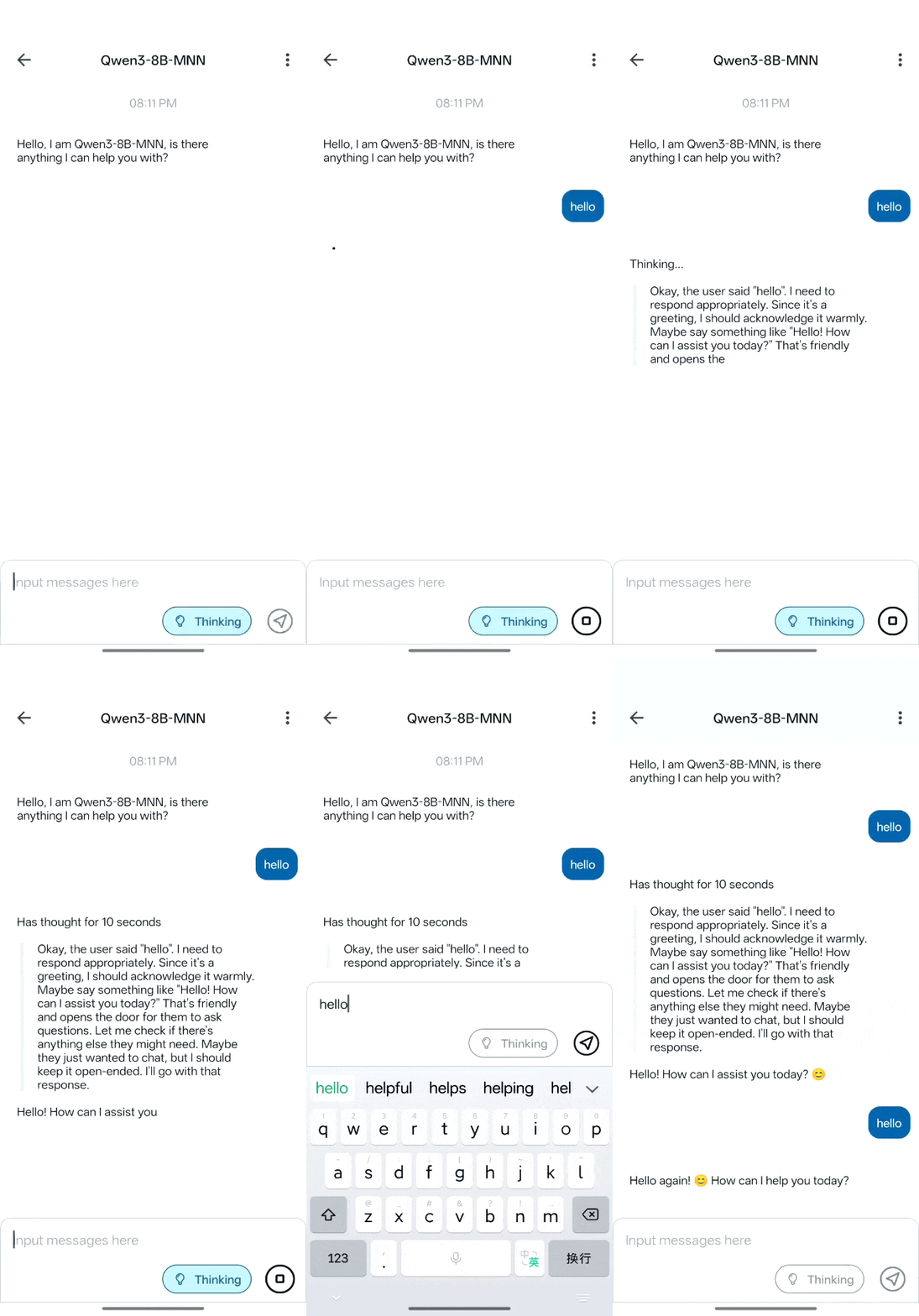
  • [2025/04/30] android app support qwen3 and dark mode MNN Chat App.

Icon

  • [2025/02/18] iOS multimodal LLM App is released MNN LLM iOS.

Icon

Icon

  • [2025/01/23] We released our full multimodal LLM Android App:MNN-LLM-Android. including text-to-text, image-to-text, audio-to-text, and text-to-image generation.

Icon Icon Icon Icon

Intro

MNN is a highly efficient and lightweight deep learning framework. It supports inference and training of deep learning models and has industry-leading performance for inference and training on-device. At present, MNN has been integrated into more than 30 apps of Alibaba Inc, such as Taobao, Tmall, Youku, DingTalk, Xianyu, etc., covering more than 70 usage scenarios such as live broadcast, short video capture, search recommendation, product searching by image, interactive marketing, equity distribution, security risk control. In addition, MNN is also used on embedded devices, such as IoT.

MNN-LLM is a large language model runtime solution developed based on the MNN engine. The mission of this project is to deploy LLM models locally on everyone's platforms(Mobile Phone/PC/IOT). It supports popular large language models such as Qianwen, Baichuan, Zhipu, LLAMA, and others. MNN-LLM User guide

MNN-Diffusion is a stable diffusion model runtime solution developed based on the MNN engine. The mission of this project is to deploy stable diffusion models locally on everyone's platforms. MNN-Diffusion User guide

architecture

Inside Alibaba, MNN works as the basic module of the compute container in the Walle System, the first end-to-end, general-purpose, and large-scale production system for device-cloud collaborative machine learning, which has been published in the top system conference OSDI’22. The key design principles of MNN and the extensive benchmark testing results (vs. TensorFlow, TensorFlow Lite, PyTorch, PyTorch Mobile, TVM) can be found in the OSDI paper. The scripts and instructions for benchmark testing are put in the path “/benchmark”. If MNN or the design of Walle helps your research or production use, please cite our OSDI paper as follows:

@inproceedings {proc:osdi22:walle,
    author = {Chengfei Lv and Chaoyue Niu and Renjie Gu and Xiaotang Jiang and Zhaode Wang and Bin Liu and Ziqi Wu and Qiulin Yao and Congyu Huang and Panos Huang and Tao Huang and Hui Shu and Jinde Song and Bin Zou and Peng Lan and Guohuan Xu and Fei Wu and Shaojie Tang and Fan Wu and Guihai Chen},
    title = {Walle: An {End-to-End}, {General-Purpose}, and {Large-Scale} Production System for {Device-Cloud} Collaborative Machine Learning},
    booktitle = {16th USENIX Symposium on Operating Systems Design and Implementation (OSDI 22)},
    year = {2022},
    isbn = {978-1-939133-28-1},
    address = {Carlsbad, CA},
    pages = {249--265},
    url = {https://www.usenix.org/conference/osdi22/presentation/lv},
    publisher = {USENIX Association},
    month = jul,
}

Documentation and Workbench

MNN's docs are in place in Read the docs.

You can also read docs/README to build docs's html.

MNN Workbench could be downloaded from MNN's homepage, which provides pretrained models, visualized training tools, and one-click deployment of models to devices.

Key Features

Lightweight

  • Optimized for devices, no dependencies, can be easily deployed to mobile devices and a variety of embedded devices.
  • iOS platform: static library size will full option for armv7+arm64 platforms is about 12MB, size increase of linked executables is about 2M.
  • Android platform: core so size is about 800KB (armv7a - c++_shared).
  • Using MNN_BUILD_MINI can reduce package size by about 25%, with a limit of fixed model input size
  • Support FP16 / Int8 quantize, can reduce model size 50%-70%

Versatility

  • Supports Tensorflow, Caffe, ONNX,Torchscripts and supports common neural networks such as CNN, RNN, GAN, Transformer.
  • Supports AI model with multi-inputs or multi-outputs, every kind of dimension format, dynamic inputs, controlflow.
  • MNN supports approximate full OPs used for the AI Model. The converter supports 178 Tensorflow OPs, 52 Caffe OPs, 163 Torchscripts OPs, 158 ONNX OPs.
  • Supports iOS 8.0+, Android 4.3+, and embedded devices with POSIX interface.
  • Supports hybrid computing on multiple devices. Currently supports CPU and GPU.

High performance

  • Implements core computing with lots of optimized assembly code to make full use of the ARM / x64 CPU.
  • Use Metal / OpenCL / Vulkan to support GPU inference on mobile.
  • Use CUDA and tensorcore to support NVIDIA GPU for better performance
  • Convolution and transposition convolution algorithms are efficient and stable. The Winograd convolution algorithm is widely used to better symmetric convolutions such as 3x3,4x4,5x5,6x6,7x7.
  • Twice speed increase for the new architecture ARM v8.2 with FP16 half-precision calculation support. 2.5 faster to use sdot for ARM v8.2 and VNNI.

Ease of use

  • Support use MNN's OP to do numerical calculating like numpy.
  • Support lightweight image process module like OpenCV, which is only 100k.
  • Support build model and train it on PC / mobile.
  • MNN Python API helps ML engineers to easily use MNN to infer, train, and process images, without dipping their toes in C++ code.

The Architecture / Precision MNN supported is shown below:

  • S :Support and work well, deeply optimized, recommend to use
  • A :Support and work well, can use
  • B :Support but has bug or not optimized, no recommend to use
  • C :Not Support
Architecture / PrecisionNormalFP16BF16Int8
CPUNativeBCBB
x86/x64-SSE4.1ACCA
x86/x64-AVX2SCCA
x86/x64-AVX512SCCS
ARMv7aSS (ARMv8.2)SS
ARMv8SS (ARMv8.2)S(ARMv8.6)S
GPUOpenCLASCS
VulkanAACA
MetalASCS
CUDAASCA
NPUCoreMLACCC
HIAIACCC
NNAPIBBCB
QNNCBCC

Tools

Base on MNN (Tensor compute engine), we provided a series of tools for inference, train and general computation.

  • MNN-Converter: Convert other models to MNN models for inference, such as Tensorflow(lite), Caffe, ONNX, Torchscripts. And do graph optimization to reduce computation.
  • MNN-Compress: Compress model to reduce size and increase performance / speed
  • MNN-Express: Support model with controlflow, use MNN's OP to do general-purpose computing.
  • MNN-CV: An OpenCV-like library, but based on MNN and then much more lightweight.
  • MNN-Train: Support train MNN model.

How to Discuss and Get Help From the MNN Community

The group discussions are predominantly Chinese. But we welcome and will help English speakers.

Dingtalk discussion groups:

Group #4 (Available): 160170007549

Group #3 (Full)

Group #2 (Full): 23350225

Group #1 (Full): 23329087

Historical Paper

The preliminary version of MNN, as mobile inference engine and with the focus on manual optimization, has also been published in MLSys 2020. Please cite the paper, if MNN previously helped your research:

@inproceedings{alibaba2020mnn,
  author = {Jiang, Xiaotang and Wang, Huan and Chen, Yiliu and Wu, Ziqi and Wang, Lichuan and Zou, Bin and Yang, Yafeng and Cui, Zongyang and Cai, Yu and Yu, Tianhang and Lv, Chengfei and Wu, Zhihua},
  title = {MNN: A Universal and Efficient Inference Engine},
  booktitle = {MLSys},
  year = {2020}
}

License

Apache 2.0

Acknowledgement

MNN participants: Taobao Technology Department, Search Engineering Team, DAMO Team, Youku and other Alibaba Group employees.

MNN refers to the following projects:

测试与质量

中风险

  • 来源需自行核对维护者身份。
  • 未检测到明显脚本安装指令。
  • 未检测到明显外部权限要求。
  • 未检测到高风险命令。
  • 扫描发现:1 条。

Codex — Git Clone 安装

  1. 安装前请先查看来源仓库和风险报告。
  2. 克隆仓库:git clone https://github.com/alibaba/MNN.git
  3. 将 "skills/retrospective" 文件夹复制到 Codex 的 skills 目录中。
  4. 重启 Codex 让新的 skill 生效。

Codex — 手动复制安装

  1. 安装前请先查看来源仓库和风险报告。
  2. 从源仓库下载 SKILL.md 及相关文件。
  3. 在 Codex 的 skills 目录中创建新文件夹。
  4. 将所有 skill 文件复制到新文件夹中。
  5. 重启 Codex 让新的 skill 生效。

Claude Code — Git Clone 安装

  1. 安装前请先查看来源仓库和风险报告。
  2. 克隆仓库:git clone https://github.com/alibaba/MNN.git
  3. 将 "skills/retrospective" 文件夹复制到 Claude Code 的 skills 目录中。
  4. 重启 Claude Code 让新的 skill 生效。

Claude Code — 手动复制安装

  1. 安装前请先查看来源仓库和风险报告。
  2. 从源仓库下载 SKILL.md 及相关文件。
  3. 在 Claude Code 的 skills 目录中创建新文件夹。
  4. 将所有 skill 文件复制到新文件夹中。
  5. 重启 Claude Code 让新的 skill 生效。

Cursor — Git Clone 安装

  1. 安装前请先查看来源仓库和风险报告。
  2. 克隆仓库:git clone https://github.com/alibaba/MNN.git
  3. 将 "skills/retrospective" 文件夹复制到 Cursor 的 skills 目录中。
  4. 重启 Cursor 让新的 skill 生效。

Cursor — 手动复制安装

  1. 安装前请先查看来源仓库和风险报告。
  2. 从源仓库下载 SKILL.md 及相关文件。
  3. 在 Cursor 的 skills 目录中创建新文件夹。
  4. 将所有 skill 文件复制到新文件夹中。
  5. 重启 Cursor 让新的 skill 生效。

GitHub Copilot — Git Clone 安装

  1. 安装前请先查看来源仓库和风险报告。
  2. 克隆仓库:git clone https://github.com/alibaba/MNN.git
  3. 将 "skills/retrospective" 文件夹复制到 GitHub Copilot 的 skills 目录中。
  4. 重启 GitHub Copilot 让新的 skill 生效。

GitHub Copilot — 手动复制安装

  1. 安装前请先查看来源仓库和风险报告。
  2. 从源仓库下载 SKILL.md 及相关文件。
  3. 在 GitHub Copilot 的 skills 目录中创建新文件夹。
  4. 将所有 skill 文件复制到新文件夹中。
  5. 重启 GitHub Copilot 让新的 skill 生效。

Windsurf — Git Clone 安装

  1. 安装前请先查看来源仓库和风险报告。
  2. 克隆仓库:git clone https://github.com/alibaba/MNN.git
  3. 将 "skills/retrospective" 文件夹复制到 Windsurf 的 skills 目录中。
  4. 重启 Windsurf 让新的 skill 生效。

Windsurf — 手动复制安装

  1. 安装前请先查看来源仓库和风险报告。
  2. 从源仓库下载 SKILL.md 及相关文件。
  3. 在 Windsurf 的 skills 目录中创建新文件夹。
  4. 将所有 skill 文件复制到新文件夹中。
  5. 重启 Windsurf 让新的 skill 生效。
查看 SKILL.md 原文
name: retrospective
description: 任务完成后的反思与经验沉淀。仅在任务非平凡且出现调试、失败修复、反复试错、明显误判或可复用教训时使用;简单执行、查询、常规 CI 通过等无新增经验的任务可跳过。

任务反思与经验沉淀

触发条件:非平凡任务完成后,且存在可沉淀经验:debug、失败修复、反复试错、明显误判、流程缺口,或用户显式要求。

跳过条件:简单执行、查询、格式调整、常规 CI 通过等没有新增教训的任务,无需执行此 skill。

服务对象:所有 skill。本 skill 的产出是对其他 skill 文件的更新,不产生代码。

核心原则

🚨 对结果要有定力,不要自我欺骗

最大的风险是"觉得差不多了"的幻觉——结果不达标时,找外部原因搪塞然后降低要求宣布完成。

常见的自我欺骗模式:

  • 功能任务:输出不正确时归因于"量化精度不够"、"模型太小"、"这是预期的退化",而不是继续排查实现 bug
  • 性能任务:优化没有效果时归因于"编译器已经优化得很好了"、"已经接近理论极限",而不是继续尝试其他方案

正确做法:

  • 测试目标在开始前就定好,不能中途降低标准
  • 通过标准必须具体、可验证("差不多能用"不算通过)
  • 功能任务:人工验证不通过就是没通过,继续排查实现细节
  • 性能任务:没有达到预期提升就继续优化,用数据证明已到极限而不是猜测

TDD 思维:先定测试再写代码

每个子任务开始前明确三件事:

  1. 通过标准是什么? — 具体的预期输出
  2. 怎么测? — 可执行的测试命令
  3. 什么不算通过? — 明确列出容易自我欺骗的边界情况

执行流程

1. 识别教训

  • 走了哪些弯路?错误假设是什么?
  • 根因是什么?为什么没有第一时间找到?
  • 方法论问题?跳步了?过早下结论了?把 bug 归因为外部原因了?

2. 判断归属

教训类型更新位置
某个 skill 流程中的陷阱该 skill 的 common-pitfalls 或步骤文件
通用工作方法论该 skill 的 SKILL.md 顶层注意事项
跨 skill 通用经验memory 系统

3. 写入原则

  • 只写方法论,不写单次任务的具体细节。 可以附最小测试示例说明如何验证。
  • 放在最显眼的位置。 关键教训放 SKILL.md 顶部,不要埋在子文档末尾。
  • 增加的同时审视现有内容。 显而易见的、能从代码直接推出的指导删掉或精简。单个步骤文件不超过 500 行。

发现问题?提交给管理员复核

评分:

评论 (0)

暂无评论,成为第一个评论者吧!