
复制安装命令
用 Codex 或 Claude 安装复制这段 Prompt,粘贴到 Codex、Claude 或其他助手里,让它先审查 Skill 页面再帮你安装。
复制前请先查看来源、License 和安全提示。
Open Design: The open-source Claude Design alternative
用 Codex 或 Claude 安装复制这段 Prompt,粘贴到 Codex、Claude 或其他助手里,让它先审查 Skill 页面再帮你安装。
复制前请先查看来源、License 和安全提示。
来源文件:README.md
⚡ Open Design Cloud — the official model service. One recharge to use GPT, Claude, Gemini, and DeepSeek inside Open Design: 20+ flagship models, zero config, billed by real token usage. Try Open Design Cloud
🏅 The Open Design Fellow program is now open. If you also believe design should be open — become an Open Design Fellow, shape the product alongside the core team, and help more people take part in defining the future of design. Details →
MAINTAINERS.mdand Discord.

Website · Download · Open Design Cloud · Discord · Follow @OpenDesignHQ




English · Español · Português · Deutsch · Français · 简体中文 · 繁體中文 · 한국어 · 日本語 · العربية · Русский · Українська · Türkçe · ภาษาไทย
🎨 The open-source Claude Design alternative. 🖥️ Local-first native desktop app for macOS and Windows. ⚡ Composable skills, brand-grade DESIGN.md design systems, and ready-to-use plugins. 🖼️ Generates web · desktop · mobile prototypes, live dashboards / artifacts, decks, images, video, plus HyperFrames motion graphics. 🔒 Sandboxed iframe preview · HTML / PDF / PPTX / MP4 export. 🤖 Runs on Claude Code · OpenClaw · Codex · Cursor · OpenCode · Qwen · Copilot · Amp · Hermes · Kimi · Antigravity and 25 distinct local CLI executables, or any OpenAI-compatible endpoint via BYOK.
Open Design is what you get when the agent-native loop Anthropic shipped with Claude Design — discover the brief, lock the direction, stream the artifact, critique, deliver — stops being closed and becomes a filesystem of functional skills, rendering design templates, design systems, and plugins that the coding agents already on your laptop can read, write, and remix. Your CLI becomes the design engine, your laptop becomes the studio, and your team's DESIGN.md becomes the brand contract.
It's also the Figma alternative for the agent era — instead of pushing pixels on a canvas, it delivers single-page artifacts in real CSS, real fonts, real components, exported straight to HTML / PDF / PPTX / MP4 — already shaped by your design system, already runnable inside the agent you use every day.
A quick look at what Open Design is and what it does. Start from Home, orchestrate repeat workflows with Automation, distill a brand contract in Design System, and extend with Plugins and integrations; inside any project's Studio, the same design system streams out prototypes, live artifacts, HyperFrames, decks, and images.
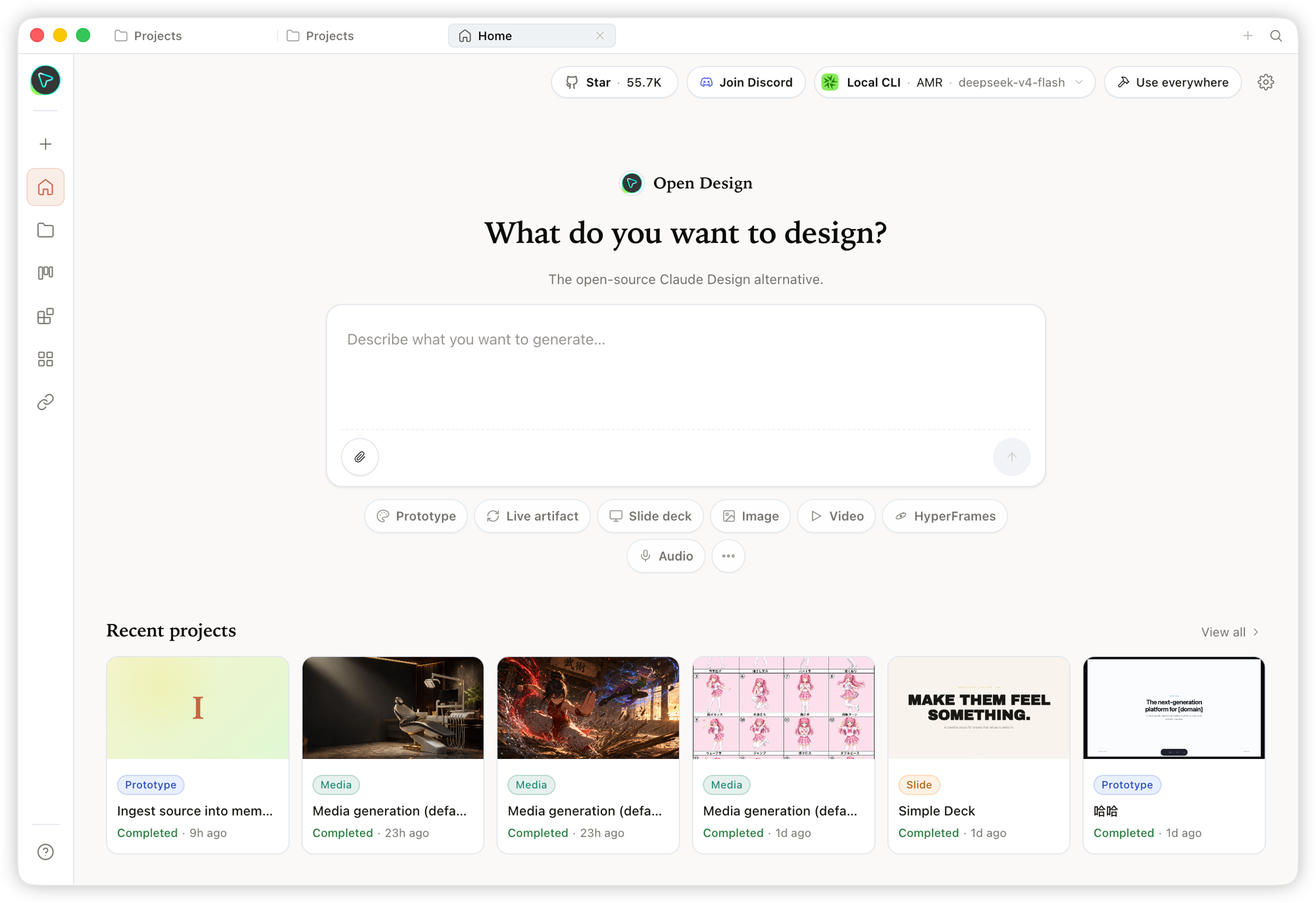 Home — the overview entry point. Pick a skill and a design system, type the brief, and kick off everything from one place. |
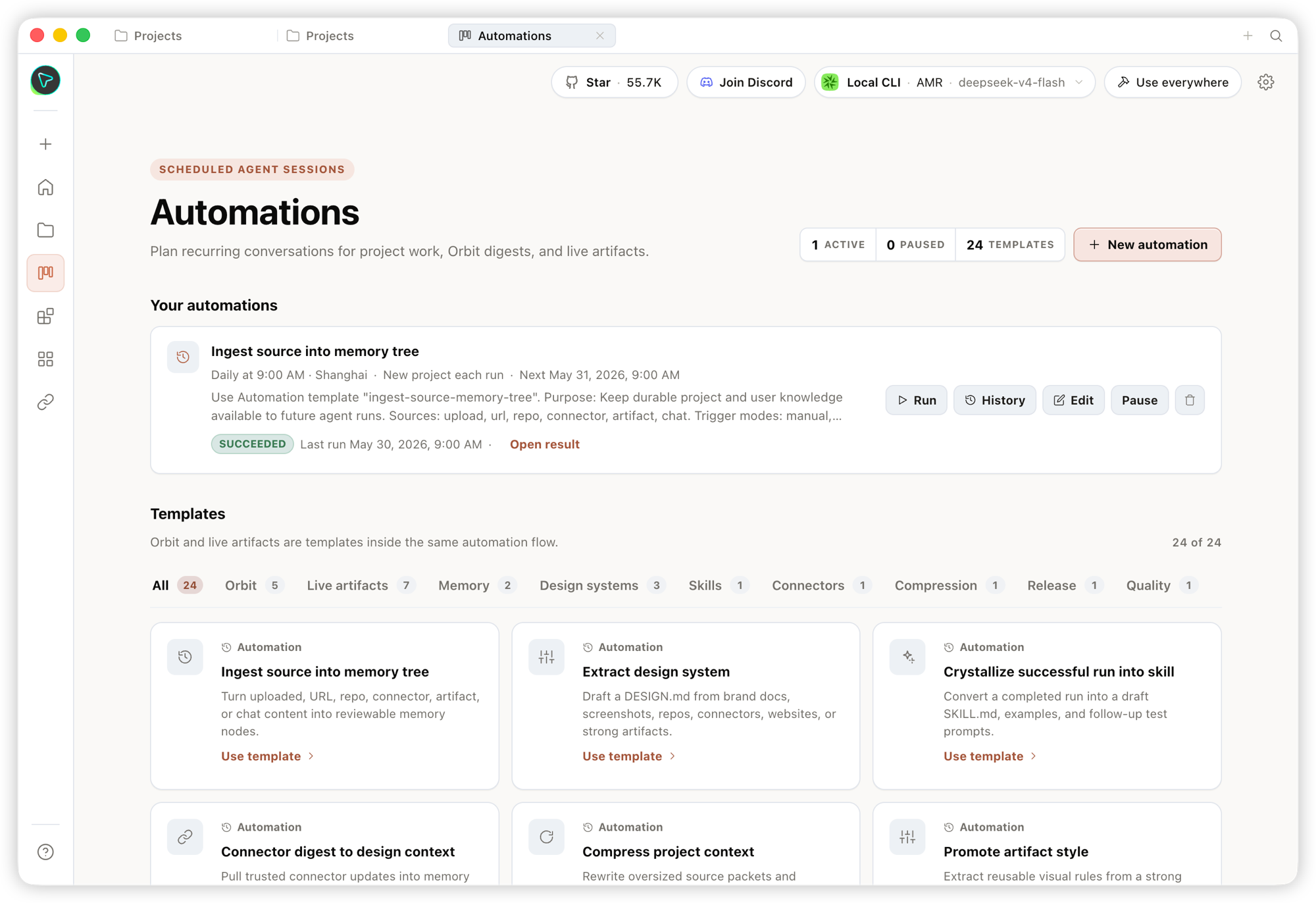 Automation — orchestrate repetitive design workflows into reusable, schedulable automations. |
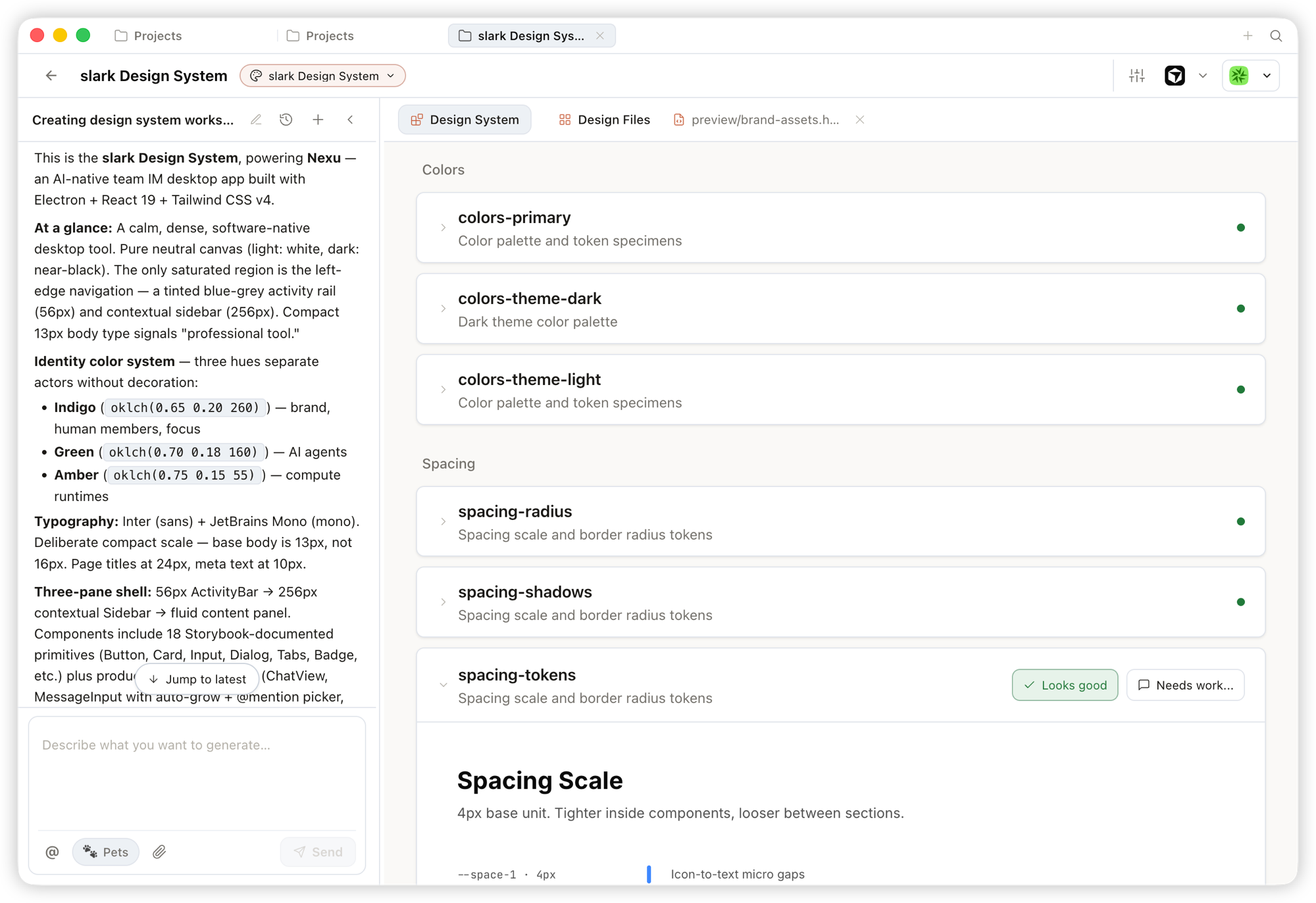 Design System — distill your team's DESIGN.md into a brand contract that shapes every output.
|
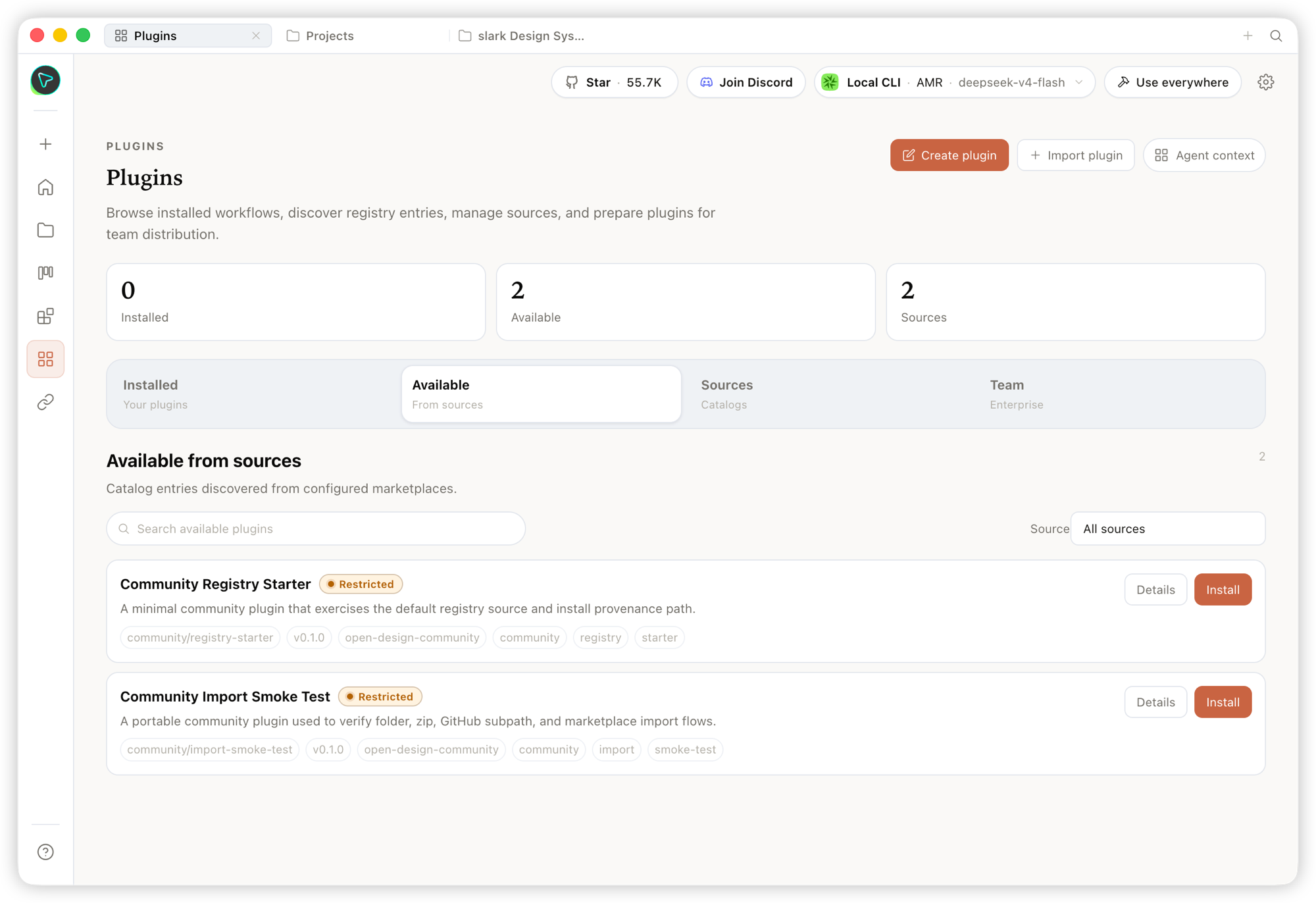 Plugin — browse, install, and distribute workflow plugins to extend generation on demand. |
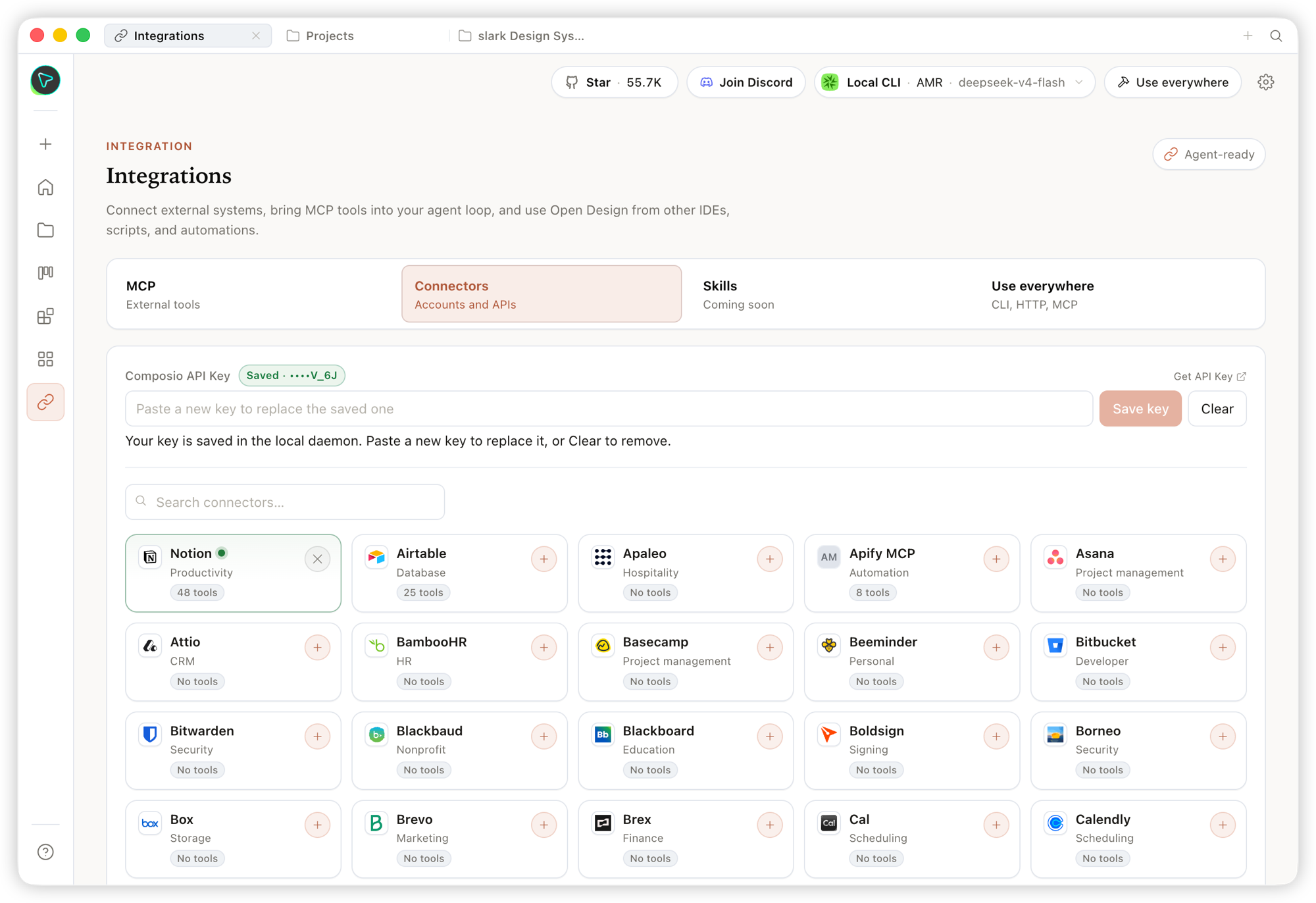 Integrations — connect external systems and MCP tools, and use Open Design from any IDE, script, or automation. |
Inside a project's Studio, the same design system streams out multiple artifact types:
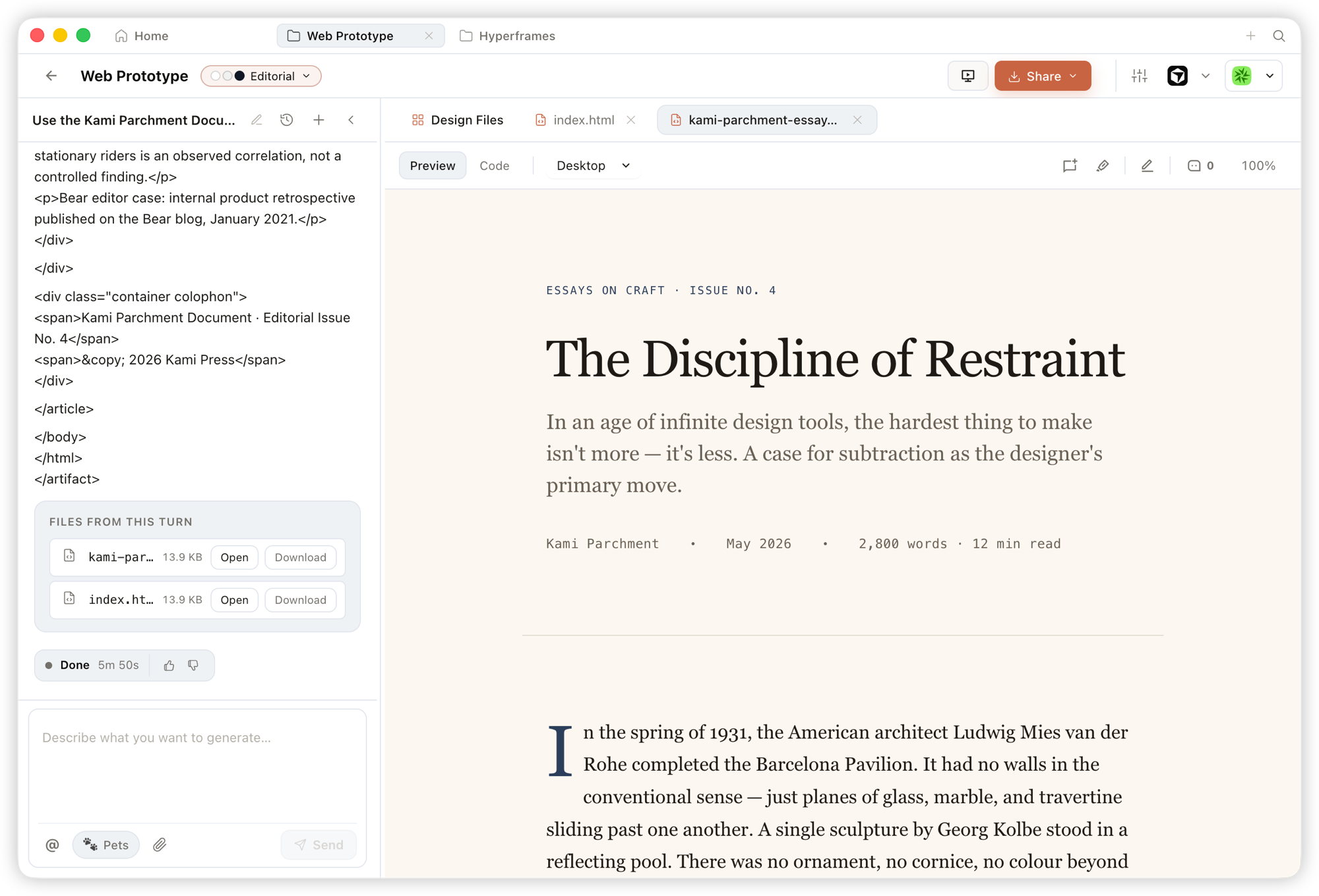 Prototype — single-page HTML artifacts that read your design system and render in a sandboxed iframe, previewable instantly and downloadable as source. |
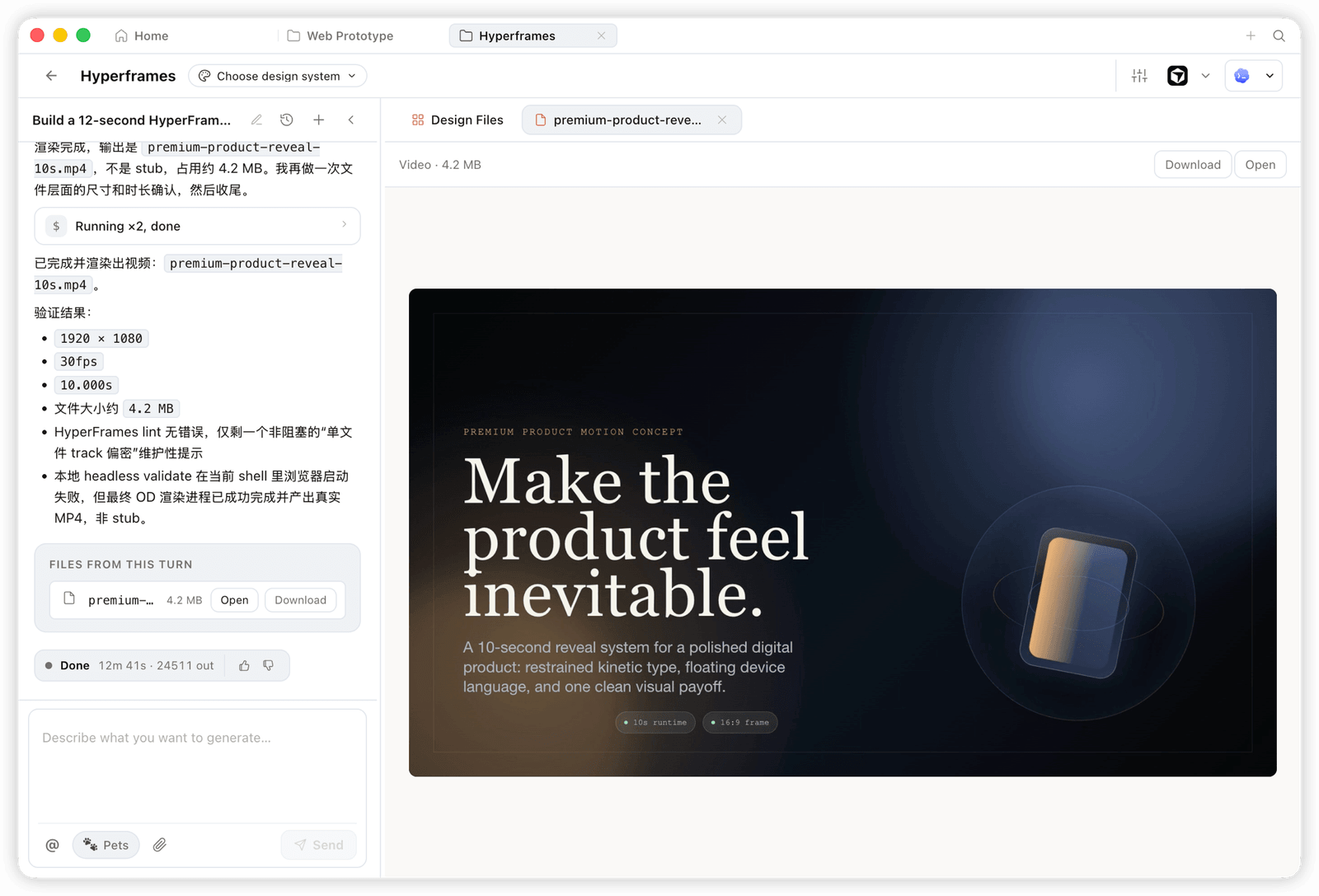 HyperFrame — programmatic motion and animated graphics, rendered to a real MP4 (e.g. 1920×1080 · 30fps). |
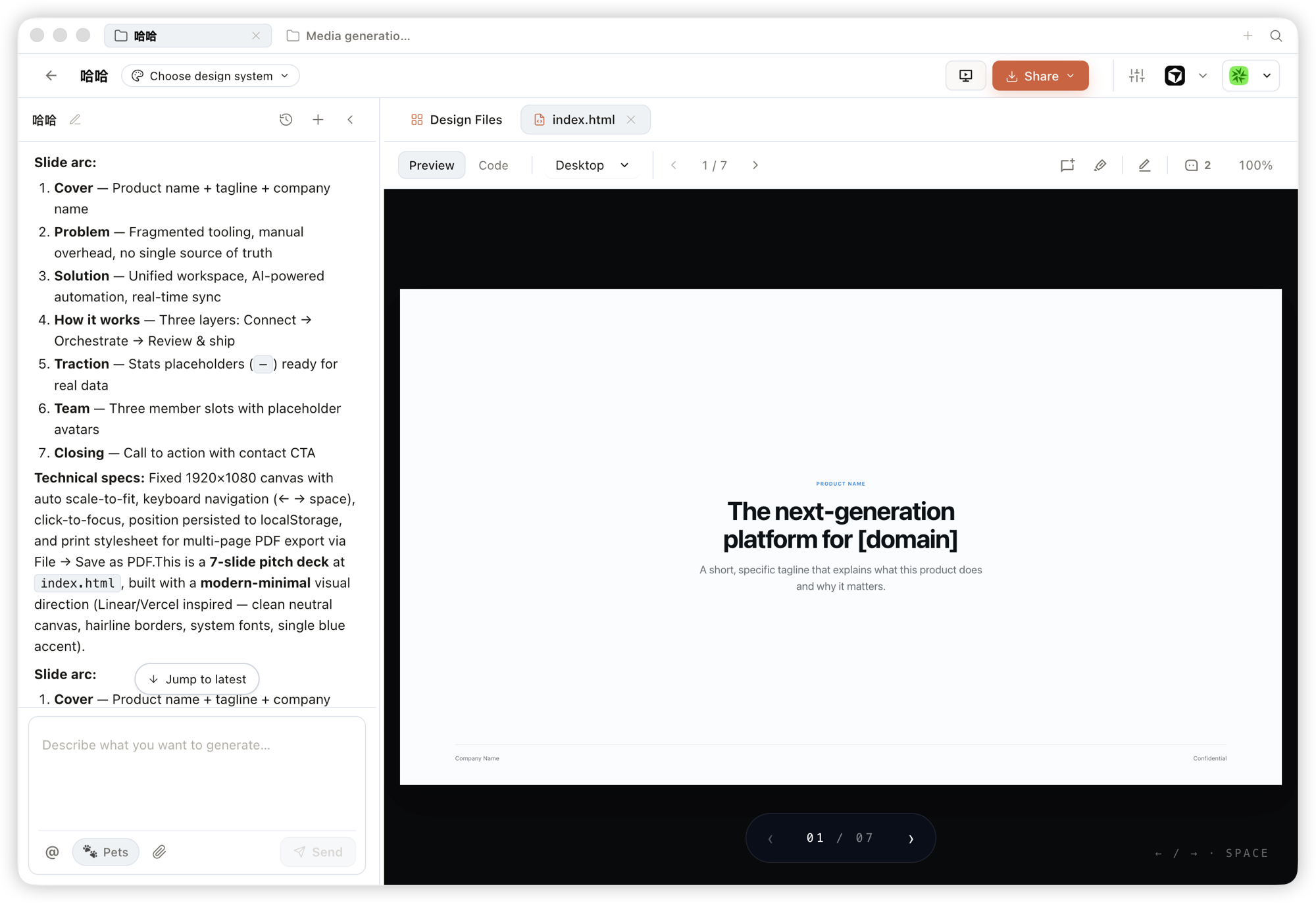 Deck — pitch decks you can page through, navigate by keyboard, and export to PPTX / PDF. |
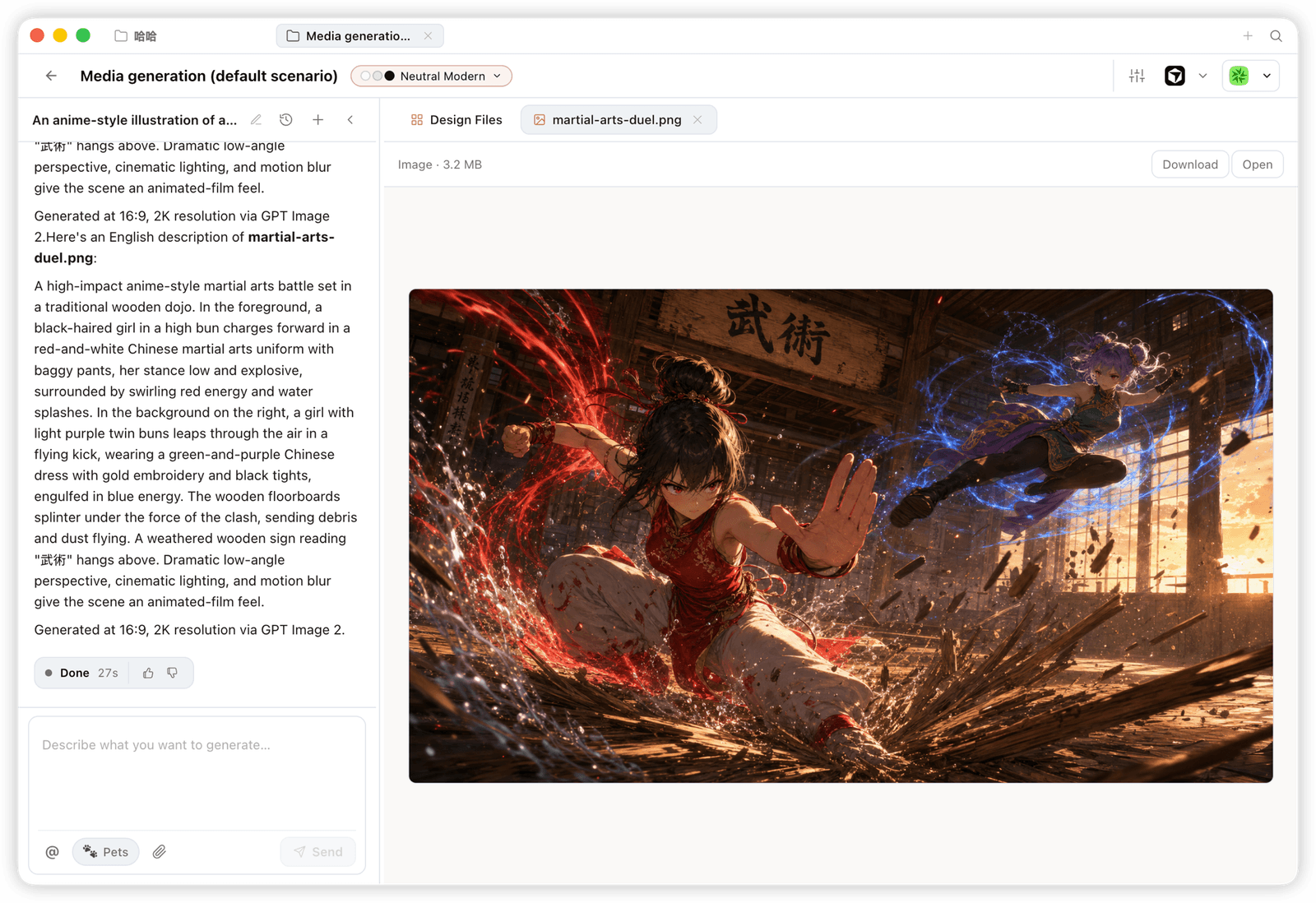 Image — brand-grade images and visual assets, with high-resolution generation and download. |
Open Design ships as skills, a CLI, and an MCP server that mainstream coding agents consume natively. Once OD is installed, a single
od mcp install <agent>wires the MCP server into that agent's config, and you call the same tools from inside any agent.
| Coding agent / platform | Status | One-line MCP server install |
|---|---|---|
| Claude Code | ✅ Supported | od mcp install claude |
| Codex CLI | ✅ Supported | od mcp install codex |
| DeepSeek Reasonix | ✅ Supported | od mcp install reasonix |
| Raven | ✅ Supported | od mcp install raven |
| Cursor | ✅ Supported | od mcp install cursor |
| VS Code + GitHub Copilot | ✅ Supported | od mcp install copilot |
| GitHub Copilot CLI | ✅ Supported | od mcp install copilot |
| OpenCode | ✅ Supported | od mcp install opencode |
| OpenClaw | ✅ Supported | od mcp install openclaw |
| Antigravity | ✅ Supported | od mcp install antigravity |
| Cline | ✅ Supported | od mcp install cline |
| Trae | ✅ Supported | od mcp install trae |
| Kimi CLI | ✅ Supported | od mcp install kimi |
| Kiro | ✅ Supported | od mcp install kiro |
| Pi Agent | ✅ Supported | od mcp install pi |
| Mistral Vibe CLI | ✅ Supported | od mcp install vibe |
| Hermes Agent | ✅ Supported | od mcp install hermes |
od mcp install <agent> --print for a dry-run preview · --uninstall to remove · full list with od mcp install --help.
No CLI installed? The BYOK proxy at POST /api/proxy/{anthropic,openai,azure,google,ollama,senseaudio}/stream gives you the same loop (no process spawn) — paste baseUrl + apiKey + model, with presets for OpenAI, Atlas Cloud, Anthropic, Azure OpenAI, Google Gemini, Ollama, LM Studio, vLLM, or any OpenAI-compatible endpoint. Atlas Cloud uses https://api.atlascloud.ai/v1 with your own key and OpenAI-compatible model ids such as qwen/qwen3.5-flash. Per-target SSRF protection blocks internal IPs / link-local / CGNAT at the daemon edge.
Runtime definitions live in apps/daemon/src/runtimes/defs/, with registration and shared stream handling under apps/daemon/src/runtimes/. See docs/agent-adapters.md for the adapter contract.
Four core product categories, all rendered by a coding agent running on your laptop. Click a thumbnail to see the real example.
The default output surface. Single-page HTML artifacts that read your DESIGN.md and render in a sandboxed iframe.
 Entry view — pick a skill, pick a design system, type the brief. One surface for prototypes, dashboards, decks, mobile apps, magazine pages. |
 Mobile prototype — pixel-accurate iPhone 15 Pro chrome, multi-screen flows. The agent never redraws the phone frame; shared device frames live in assets/frames/.
|
 Web prototype — an editorial dashboard with scrollbars, KPIs, and charts. Rendered straight from design-templates/dating-web/.
|
 Mobile app prototype — a three-screen gamified flow with XP ribbons and quest detail. Hand off straight to Cursor / Codex / Claude Code to turn into React/Next/Vue. |
Live dashboards, decision rooms, KPI walls — single-page artifacts that pull data through a tweaks panel and stay editable in place.
 Live dashboard — an editable KPI wall whose tweaks panel surfaces the parameters worth nudging. The agent emits a manifest, and the iframe re-renders without a reload. |
 Decision room — a multi-source briefing artifact for product / research / ops meetings. |
 GitHub-style dashboard — repo metrics presented as a live artifact. |
 Flow live-dashboard template — a domain-specific KPI template, branded through the active DESIGN.md.
|
 Deck mode (guizang-ppt) — magazine layouts, WebGL hero, P0/P1/P2 checklists. Bundled verbatim from op7418/guizang-ppt-skill with its original license preserved.
|
 Swiss International-style deck — grid-anchored, monochrome accents. One of 15 deck templates and 36 themes under design-templates/html-ppt-*/.
|
Every deck exports to HTML (single file, inlined assets), PDF (browser print, deck-aware), PPTX (agent-driven skill), ZIP (archive), or Markdown.
gpt-image-2, ImageRouter, custom API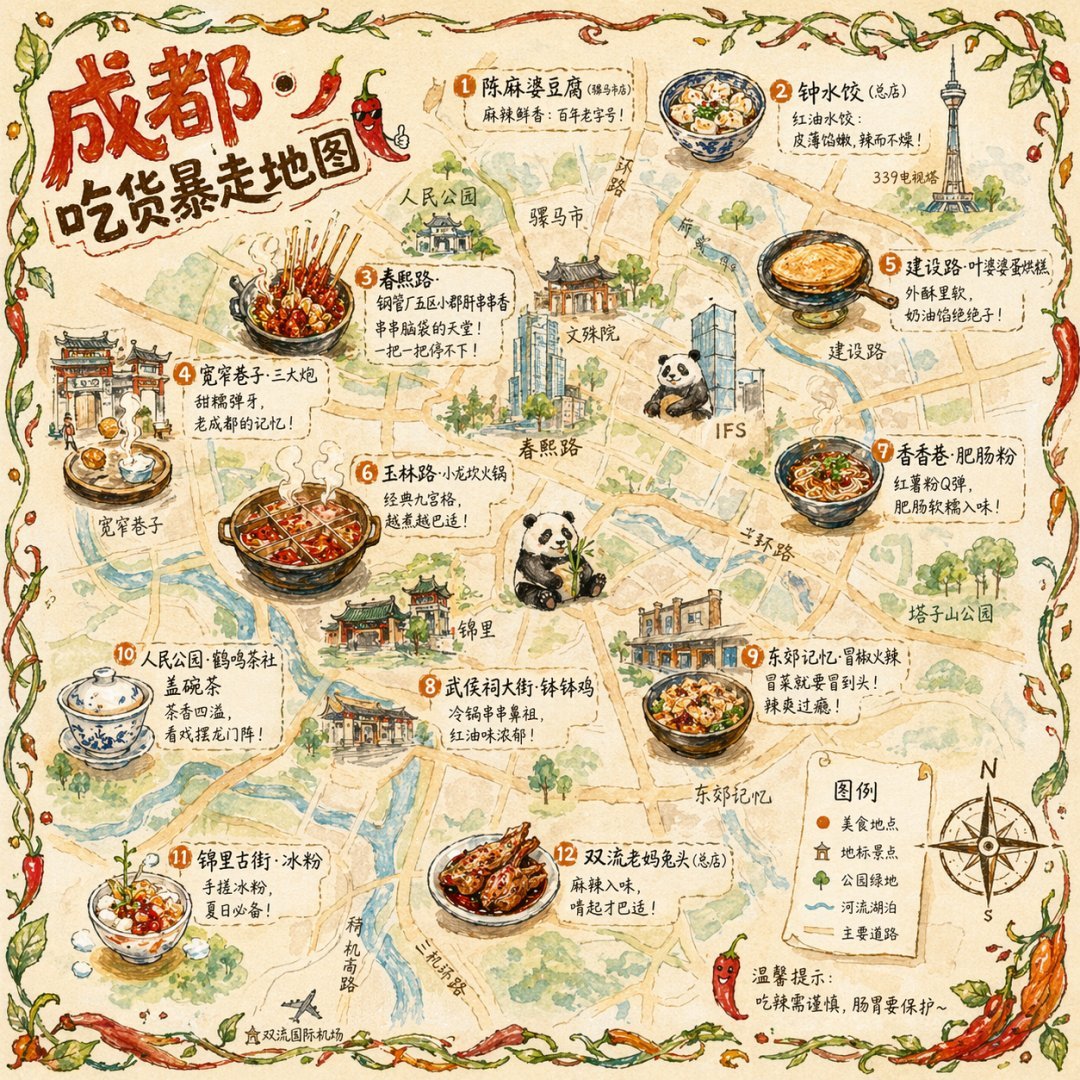 Illustrated city food map Hand-drawn editorial travel poster |  Cinematic elevator scene Single-frame editorial still | 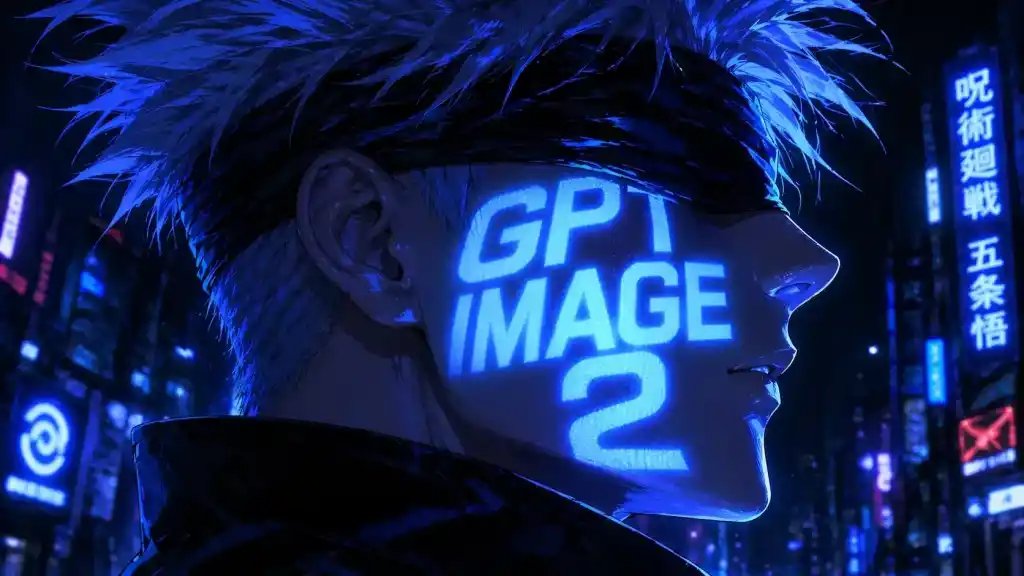 Cyberpunk portrait Profile avatar — neon face text | 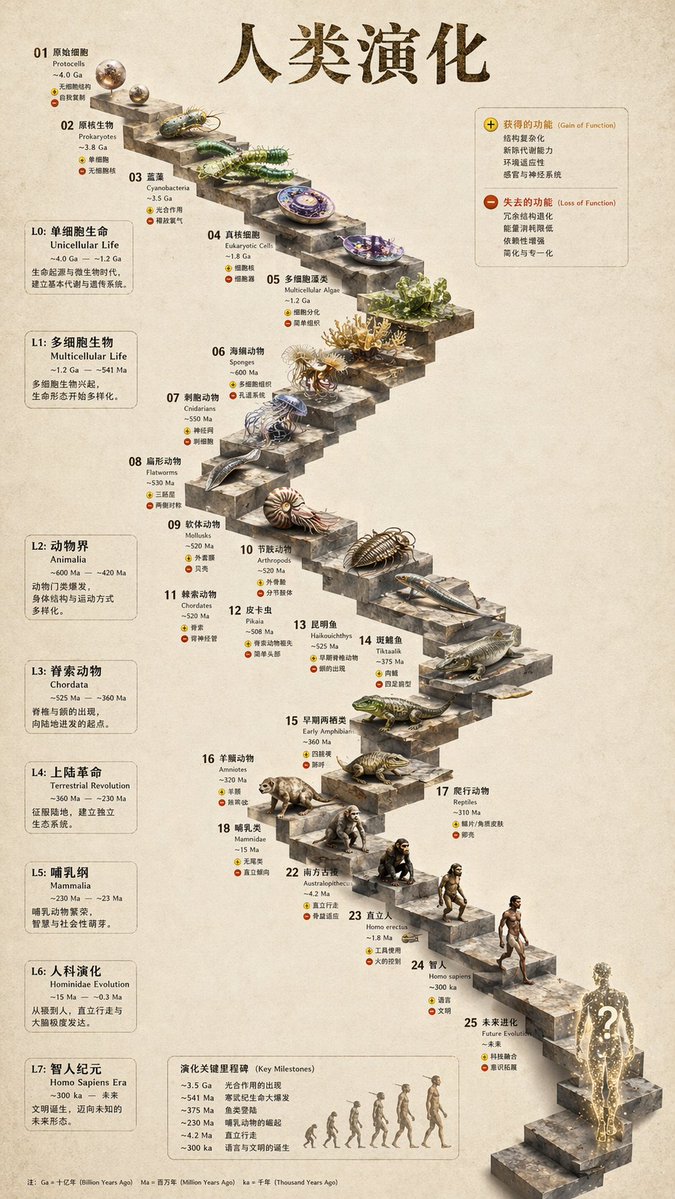 3D stone staircase Hewn-stone infographic |  Glamorous portrait Editorial studio shot |
93 ready-to-replicate prompts live in prompt-templates/ — preview thumbnails, full prompt body, target model, aspect ratio, and source attribution. One click drops a brief into the composer.
HyperFrames is HeyGen's open-source, agent-native video framework, integrated as a first-class citizen in Open Design. The agent writes HTML + CSS + GSAP, and HyperFrames renders it to a deterministic MP4 via headless Chrome + FFmpeg. Pair it with Seedance 2.0 for cinematic t2v / i2v, Veo 3 / Sora 2 / Kling 2 for routed model variants, and Suno v5 / Lyria 2 for the audio layer.
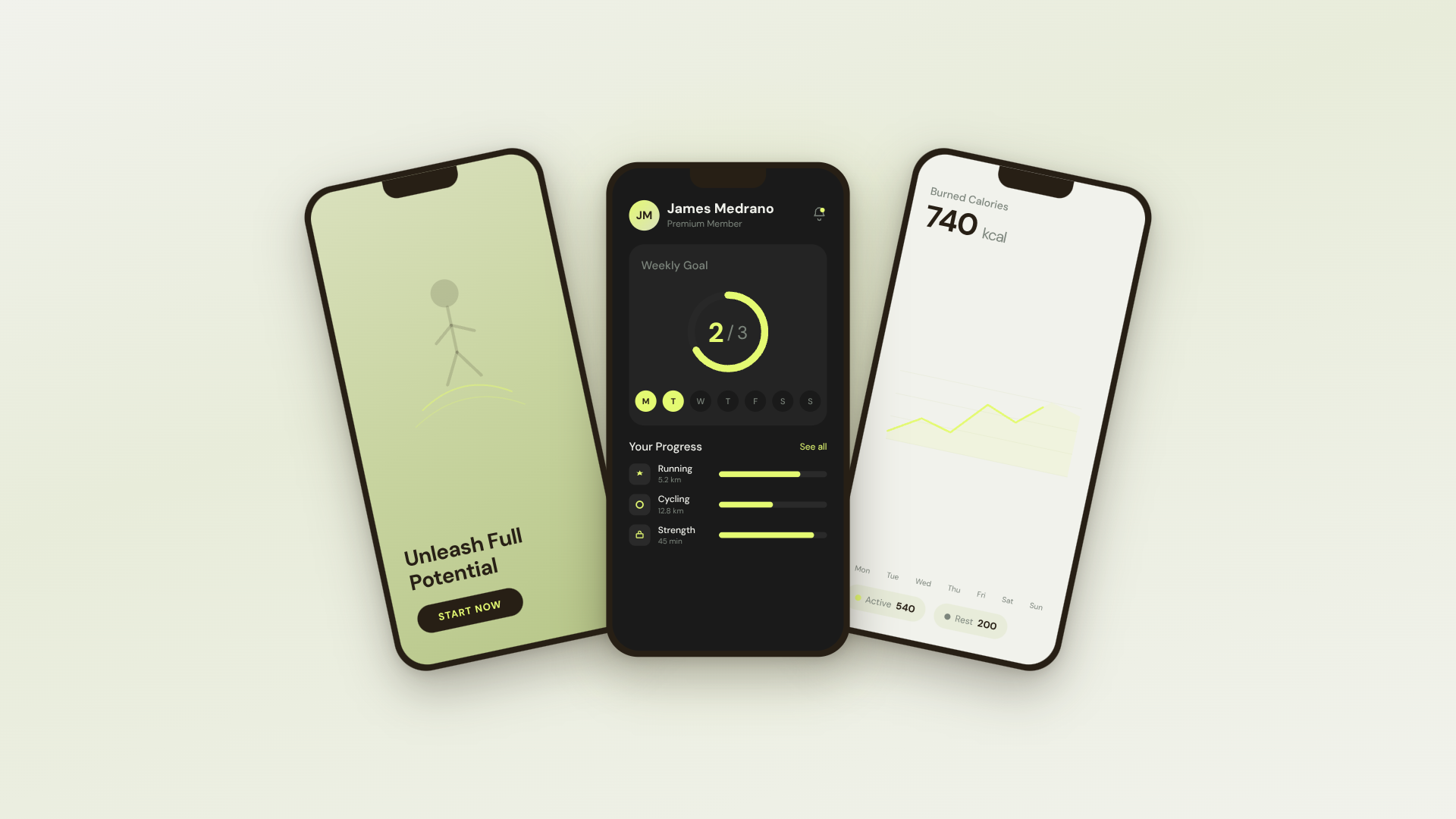 30s SaaS product promo · 16:9 · UI 3D reveals |  TikTok karaoke talking-head · 9:16 · TTS + word-synced captions |  30s brand sizzle reel · 16:9 · audio-reactive kinetic type | 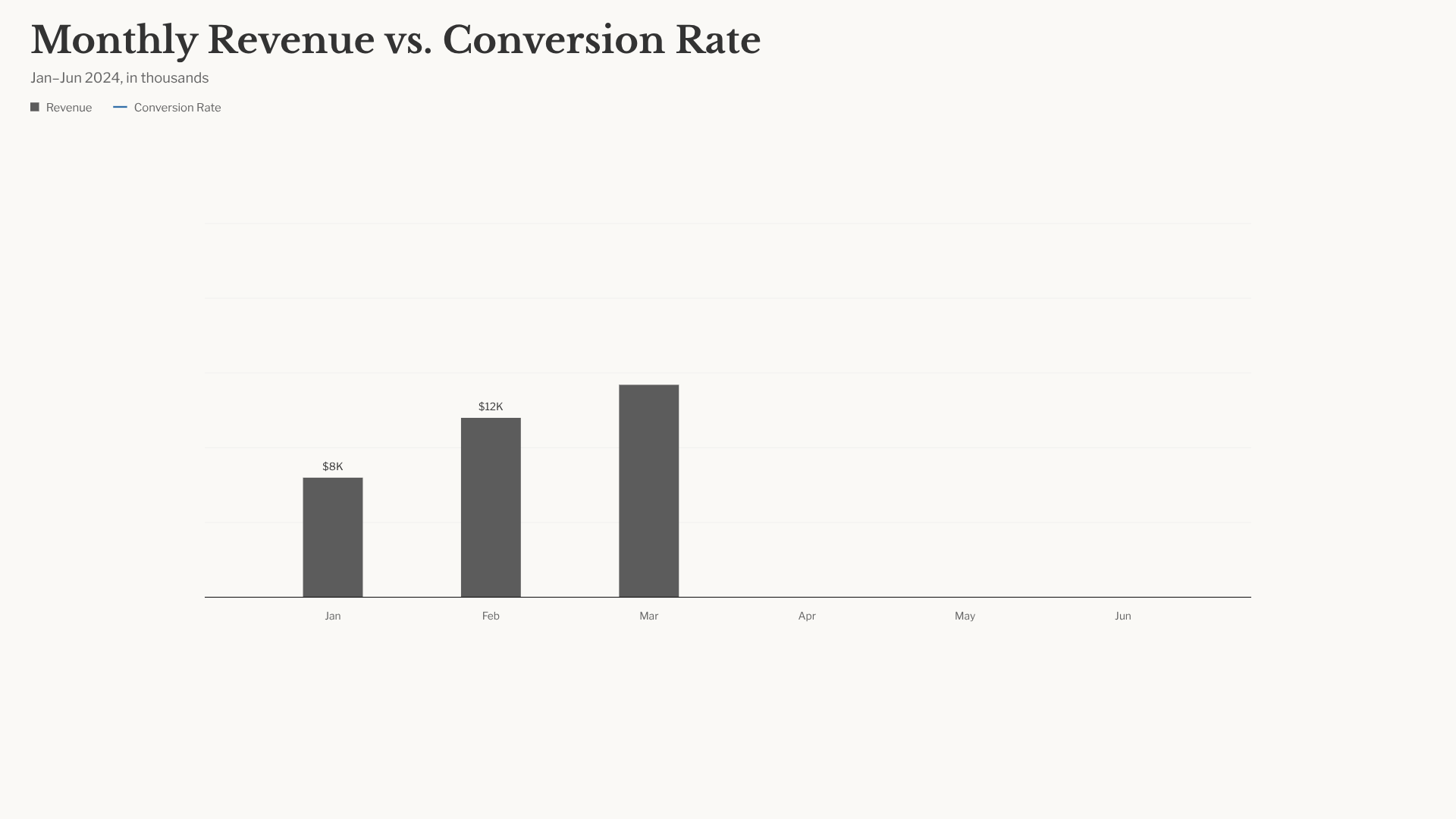 Bar chart race · 16:9 · NYT-style data infographic |
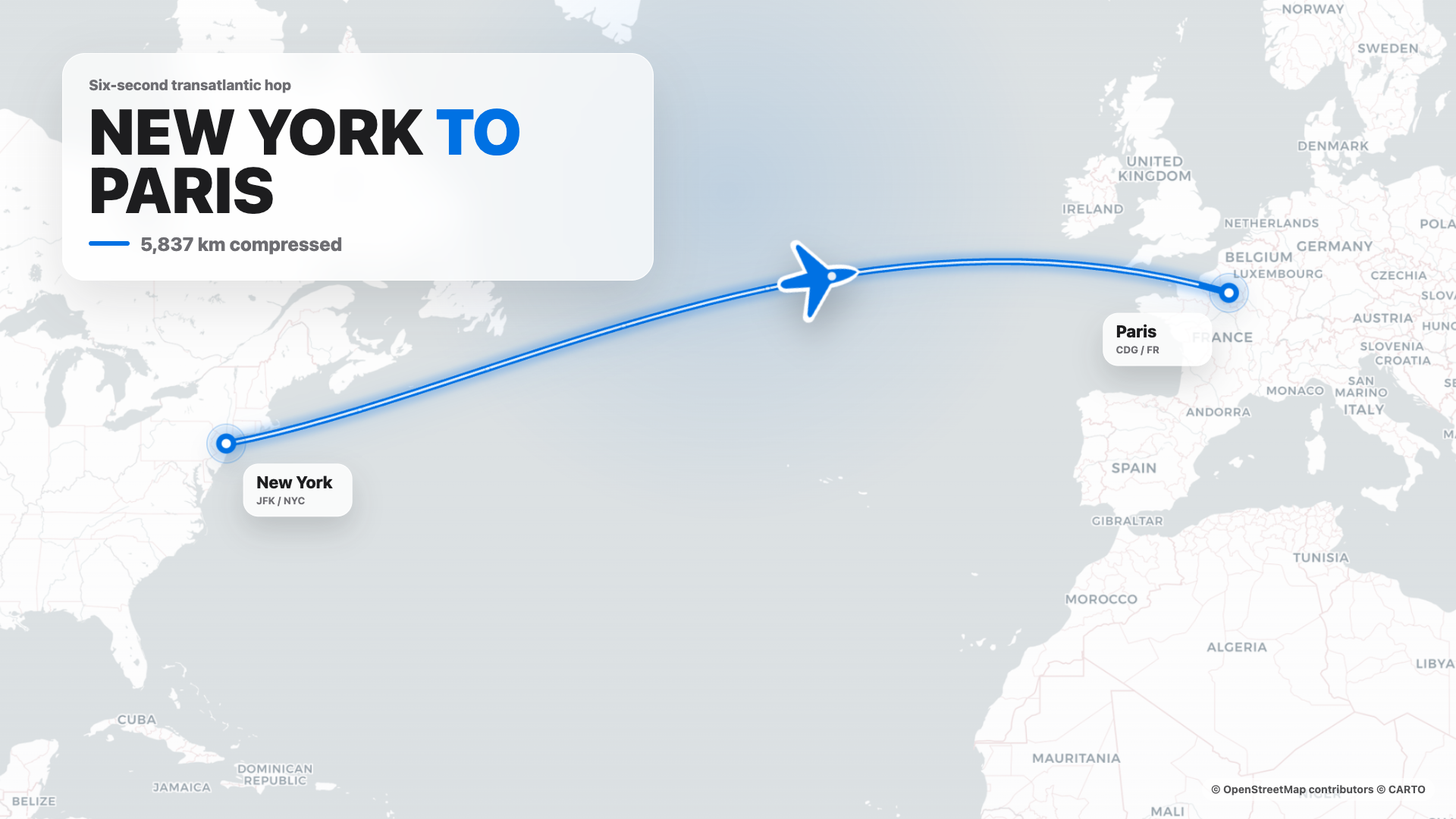 Flight map · 16:9 · Apple-style route reveal | 4s cinematic logo outro · 16:9 · piece-by-piece assembly + bloom |  $0 → $10K money counter · 9:16 · Apple-style hype |  Website-to-video · 16:9 · captures the site at 3 viewports |
11 HyperFrames templates + 39 Seedance prompts ship with the repo. Catalog thumbnails © HeyGen; the framework is Apache-2.0. The OD-specific render workflow (composition cache, sandbox-exec workaround, MP4-as-chip) is detailed in design-templates/hyperframes/.
In April 2026, Anthropic released Claude Design — the first time an LLM stopped writing prose and started delivering design artifacts directly. It went viral. But it stayed closed-source, paid-only, cloud-only, locked to Anthropic's model, Anthropic's skills, Anthropic's surface. No checkout, no self-host, no Vercel deploy, no swap-in-your-own-agent.
Open Design (OD) is the open-source alternative. Same loop, same artifact-first mental model, none of the lock-in:
claude / codex / cursor-agent / copilot / hermes / kimi already on your PATH are the design engine. Swap with one click.DESIGN.md as the core brand contract. 151 design-system packages ship with the repo; legacy packages may be DESIGN.md-only, while newer packages can add manifest.json, tokens.css, components, assets, and provenance. Drop a folder in, the picker finds it.AGENTS.md → Daemon data directory contract. This README MUST NOT restate it.git repo + DESIGN.md to the agent and it refactors your real components to the brand spec. Dedicated plugins migrate Figma / Pencil workflows into React / Next.js / Vue code.| Claude Design | Figma | Lovable / v0 / Bolt | Open Design | |
|---|---|---|---|---|
| Open source | ❌ | ❌ | ❌ | ✅ Apache-2.0 |
| Self-host / desktop | ❌ | ❌ | ❌ | ✅ macOS + Windows + Docker + Vercel web |
| Agent-native (runs in your CLI) | Anthropic only | ❌ | Cloud agent only | ✅ 25 CLIs + BYOK |
Brand-grade DESIGN.md | Proprietary | Theme JSON | Limited tokens | ✅ 151 systems shipped |
| Skills / plugins / templates | Closed | Plugin store | Closed | ✅ 100+ functional skills · rendering templates · 277 plugins |
| HyperFrames (HTML→MP4) | ❌ | ❌ | ❌ | ✅ First-class |
| Refresh an existing repo to brand | ❌ | ❌ | ❌ | ✅ via agent + DESIGN.md |
| Minimum billing | Pro / Max / Team | Pro / Org | Pro / Team | BYOK · any compatible endpoint |
The fastest way to use Open Design. No Node, no pnpm, no clone.
After install: the app auto-detects every coding-agent CLI on your PATH, loads 100+ functional skills, the separate rendering-template catalog, and 151 design systems, and lets you type a brief in the entry view.
You can use Open Design without ever opening the GUI — call it as a skill, plugin, or MCP server inside Claude Code, Codex, Cursor, Copilot, OpenClaw, Antigravity, Hermes, Kimi, and more.
If you installed the macOS desktop app via the DMG or Homebrew cask, your shell
may still resolve od to Apple's built-in /usr/bin/od octal-dump utility. In
that case, open Settings → MCP server in the desktop app and copy the
client-specific snippet; it uses absolute paths and does not rely on the bare
od command.
# One-line install into the agent you're using:
od mcp install <agent>
# <agent> = claude | codex | reasonix | raven | cursor | copilot | openclaw
#         | antigravity | pi | vibe | hermes | cline | kimi | kiro
#         | trae | opencode

# Hosted equivalent for curl-based setup:
curl -fsSL https://open-design.ai/install.sh | sh -s <agent>
install.sh is a thin shell wrapper around od mcp install; it exists so the
hosted URL returns shell instead of the landing-page HTML fallback and fails
fast if your shell resolves a non-Open-Design od binary.
macOS / WSL2 users:
/usr/bin/odis a system octal-dump command and can shadow Open Design'sodcommand. Desktop-app users should prefer the Settings → MCP server snippet; WSL2 users should follow theWSL2 setup guidefirst.
Then, inside the agent:
> Use open-design to generate a landing page with the Linear design system
In a filesystem-backed local CLI run, the agent composes the selected functional skill or design template with your DESIGN.md, writes the canonical project files, and Open Design previews those files. A BYOK/plain-API run without filesystem tools instead returns one complete <artifact> block.
git clone https://github.com/nexu-io/open-design.git
cd open-design/deploy
cp .env.example .env
echo "OD_API_TOKEN=$(openssl rand -hex 32)" >> .env
docker compose up -d
# open http://localhost:7456
macOS users: If the web UI shows
Authorization: Bearer <OD_API_TOKEN> required, Docker Desktop bridge networking is the cause. See Docker Desktop on macOS for the fix.

The Sealos App Store template runs the published Open Design Docker image with persistent workspace storage and Basic Auth on the public proxy. For custom public or shared Docker deployments, follow the reverse-proxy and OPEN_DESIGN_ALLOWED_ORIGINS guidance in deploy/README.md.
git clone https://github.com/nexu-io/open-design.git
cd open-design
corepack enable && pnpm install
pnpm tools-dev run web
Open the URL printed by tools-dev; development ports are allocated dynamically unless you pass explicit port flags.
Node ~24, pnpm 10.33.x. WSL2 users, see docs/wsl-setup.md; native Windows users, see docs/windows-troubleshooting.md. Full quickstart, env vars, Nix flake, and packaged build flow → QUICKSTART.md.
brief → plugin → direction → design system → artifact → handoff → memory
DESIGN.md.DESIGN.md are bound. Filesystem-backed CLI runs write canonical project files and the preview follows them; BYOK/plain-API runs without file tools return one complete <artifact> block.Open Design ships a stdio MCP server and per-agent install scripts. Any MCP-compatible agent in another repo can read files from your local Open Design projects directly — tokens CSS, JSX components, entry HTML — as a structured API queryable by name. The agent always sees the live file, not a stale export.
# One-line install (16+ CLIs supported):
od mcp install <agent>

# Then the agent can:
od project list --json
od files list <project-id> --json
od files read <project-id> <relative-path>
od plugin list --json
od skills list --json
Why MCP? Exporting and re-attaching a zip every iteration breaks flow. MCP exposes the design source directly — the agent always sees the live file.
For an agent starting from scratch, the installer places ~/.config/<agent>/open-design.json (or the platform equivalent) plus a copy-paste MCP snippet. Cursor gets a one-click deeplink; Claude Code gets a claude mcp add-json one-liner; every other agent gets JSON in the schema its config expects. On macOS desktop installs, prefer that Settings snippet over typing bare od mcp install <agent> in Terminal, because /usr/bin/od may win on PATH. Full per-agent flow → Settings → MCP server in the desktop app, or docs/agent-adapters.md.
Security model. Read-only by default, the daemon binds to 127.0.0.1, and SSRF is blocked at the proxy edge. LAN exposure requires an explicit OD_BIND_HOST plus OD_ALLOWED_ORIGINS. Connector credentials and live-artifact preview routes stay loopback-only regardless.
Internally-hosted model endpoints. To prevent SSRF, the daemon blocks provider base URLs that resolve to private/internal address ranges (RFC1918, link-local, CGNAT, and cloud-metadata IPs) by default, surfacing Internal IPs blocked. If you run an internally-hosted gateway (e.g. LiteLLM or Ollama on a VPN-only 10.x/192.168.x address), opt that host out with OD_ALLOWED_INTERNAL_HOSTS=<host1>,<host2>,... — a comma- or whitespace-separated list of bare hostnames or IPs (10.0.0.5, litellm.internal.corp; a host:port or full URL is accepted and reduced to its hostname; IPv6 must be bracketed, e.g. [fd00::1]). The allowlist is strict opt-in (empty by default), exact-host (no subdomain/substring matching), and applies only to provider endpoints you configure (connection test, model discovery, BYOK chat). It deliberately does not relax the guard on download URLs returned inside upstream responses, which stay blocked. A malformed entry — or CIDR notation, which is not supported — is dropped with a warning rather than silently trusted, so a typo never quietly widens (or fails to widen) the guard. Allowlisting a hostname trusts whatever it resolves to (like OD_ALLOWED_ORIGINS); allowlist the resolved IP instead if you want the DNS-resolved address re-checked.
100+ functional skills ship in skills/. Each follows the Agent Skills SKILL.md convention and supplies reusable agent behavior, references, or utilities. Renderable starters live separately in design-templates/; they may also use SKILL.md, but they populate the design-template catalog rather than the functional-skill registry.
Two modes anchor the design-template catalog: prototype (web/mobile/desktop single-page artifacts) and deck (horizontal-swipe presentations). Other templates cover image, video, audio, and utility surfaces. The scenario field groups templates by audience: design · marketing · operation · engineering · product · finance · hr · sale · personal.
| Design template | Mode | Scenario | What it produces |
|---|---|---|---|
web-prototype | prototype | design | Default landing page / hero |
saas-landing | prototype | marketing | Hero / features / pricing / CTA |
dashboard | prototype | operation | Admin / analytics (with sidebar) |
mobile-app | prototype | design | iPhone 15 Pro / Pixel framed app |
mobile-onboarding | prototype | design | Splash · value-prop · sign-in flow |
social-carousel | prototype | marketing | 3-card 1080×1080 carousel |
email-marketing | prototype | marketing | Table-fallback-safe brand email |
magazine-poster | prototype | marketing | Single-page magazine layout |
motion-frames | prototype | marketing | Looping CSS motion hero |
sprite-animation | prototype | marketing | 8-bit pixel animated explainer |
pm-spec | prototype | product | PM spec doc (with TOC + decision log) |
team-okrs | prototype | product | OKR scorecard |
eng-runbook | prototype | engineering | Incident runbook |
finance-report | prototype | finance | Exec finance summary |
hr-onboarding | prototype | hr | Role onboarding plan |
guizang-ppt | deck | marketing | Magazine-style web PPT (deck default) |
html-ppt-* | deck | marketing | 15 deck templates × 36 themes (master template in design-templates/html-ppt/) |
hyperframes | video | marketing | HTML → MP4 motion graphics (HeyGen OSS framework) |
critique | utility | design | Five-dimensional self-critique scoresheet |
tweaks | utility | design | AI-emitted tweaks-panel manifest |
Full protocol and directory split → docs/skills-protocol.md. Registry endpoints: GET /api/skills for functional skills and GET /api/design-templates for rendering templates.
151 brand-grade design-system packages centered on DESIGN.md ship with the repo. Legacy packages may contain only that Markdown contract; newer packages can also carry manifest.json, compiled tokens.css, component fixtures, assets, and provenance evidence. The catalog mixes upstream-derived systems with project-owned additions; design-systems/README.md records the package shape and provenance. Switch a system → the next render uses the new tokens.
AI & LLM — claude · cohere · mistral-ai · minimax · together-ai · replicate · runwayml · elevenlabs · ollama · x-ai
Developer Tools — cursor · vercel · linear-app · framer · expo · clickhouse · mongodb · supabase · hashicorp · posthog · sentry · warp · webflow · sanity · mintlify · lovable · composio · opencode-ai · voltagent
Productivity — notion · figma · miro · airtable · superhuman · intercom · zapier · cal · clay · raycast
Fintech — stripe · coinbase · binance · kraken · mastercard · revolut · wise
E-commerce — shopify · airbnb · uber · nike · starbucks · pinterest
Media — spotify · playstation · wired · theverge · meta
Automotive — tesla · bmw · ferrari · lamborghini · bugatti · renault
Other — apple · ibm · nvidia · vodafone · resend · spacex
Starters — default (Neutral Modern) · warm-editorial
Re-import the library via scripts/sync-design-systems.ts. Add your own brand → drop a DESIGN.md into design-systems/<brand>/. Full guide → design-systems/README.md.
277 official plugins plus 183 remixable reference examples live in plugins/_official/. Each entry is a portable plugin directory anchored by open-design.json plus the payload required by its type: for example SKILL.md for agent workflows, template.json for media templates, or DESIGN.md for design-system entries. Jump straight to a category:
| Category | Count | Contents |
|---|---|---|
scenarios/ | 13 | Complete design scenarios — od-default, od-design-refine, od-figma-migration, od-code-migration, od-react-export, od-nextjs-export, od-vue-export, od-media-generation, od-new-generation, od-tune-collab, od-plugin-authoring, od-share-to-community, od-web-effect-extractor |
image-templates/ | 45 | One-shot image prompts — editorial, cinematic, product, portrait |
video-templates/ | 63 | HyperFrames / Seedance / Veo motion templates |
design-systems/ | 143 | Brand DESIGN.md wrapped as plugins |
atoms/ | 13 | Reusable UI fragments (buttons, heroes, KPI cards) |
examples/ | 183 | Remixable reference outputs |
Also plugins/community/ for community plugins and plugins/registry/ for the publishing flow.
od-figma-migration.git repo + DESIGN.md, get a PR. See od-code-migration.Plugins are at full parity across the web UI and the od CLI — same /api/plugins endpoints, pick whichever fits.
In the desktop / web app: open the Plugin page to browse the marketplace and click Install; inside a project's Studio, plugins appear as composer chips you click to apply (with the inputs they declare).
On the command line (runs without a UI — this is the path external agents use):
od plugin list                       # list installed plugins (--task-kind / --mode / --tag filters)
od plugin search "landing page"      # search by keyword
od plugin info od-default            # inspect a plugin's metadata, inputs, capabilities
od plugin install od-figma-migration # install from a registry; also accepts ./local-folder or an https://… link
od plugin apply od-default --input brief="a one-page pitch for our seed round"
od plugin upgrade od-default         # upgrade
od plugin uninstall od-default       # uninstall
Every command supports --json, so you can pipe it through jq / xargs into automation.
An Open Design plugin requires open-design.json plus the payload required by its type. A workflow skill or scenario also includes SKILL.md; manifest-only template and design-system entries use their own payloads instead:
my-plugin/
├── open-design.json    ← required: marketplace metadata + inputs + pipeline + capabilities
├── SKILL.md            ← required for agent-skill/scenario entries; omitted for other plugin types
├── README.md           ← optional: usage, install, registry links
├── preview/            ← optional: index.html / poster.png (strongly recommended for visual plugins)
└── examples/           ← optional: concrete use cases
Core open-design.json fields: specVersion (currently 1.0.0), name (stable ID), version (semver), optional compat.agentSkills[].path (points at ./SKILL.md when the entry exposes an Agent Skill), od.kind (skill / scenario / atom / bundle), od.taskKind (new-generation / figma-migration / code-migration / tune-collab), od.mode (the output surface, e.g. prototype / deck / live-artifact / image / video / hyperframes / audio / design-system / scenario), od.capabilities[] (declare the minimum — a restricted install grants only prompt:inject by default), od.inputs[] (apply-time parameters).
Scaffold + validate locally:
od plugin scaffold --id my-plugin --title "My Plugin"   # generate the skeleton
od plugin validate ./my-plugin                          # check manifest / file layout
pnpm guard && pnpm --filter @open-design/plugin-runtime typecheck
Full field set and runtime contract → plugins/spec/SPEC.md; developing a plugin with a coding agent → plugins/spec/AGENT-DEVELOPMENT.md; copy-paste minimal templates → plugins/spec/examples/.
plugins/community/ (third-party plugins), or — to ship it bundled with Open Design — into the matching tier of plugins/_official/.od plugin validate, pnpm guard, pnpm --filter @open-design/plugin-runtime typecheck.plugins/spec/CONTRIBUTING.md (ID, version, lane, mode, capabilities, trigger examples; attach a screenshot / preview for visual plugins).plugins/spec/PUBLISHING-REGISTRIES.md.Plugin registry endpoint: GET /api/plugins. Directory overview → plugins/README.md (简体中文).
┌────────────────── browser (Next.js 16) / Electron shell ──────────────┐
│  chat · file workspace · iframe preview · settings · import · MCP     │
└──────────────┬─────────────────────────────────────┬─────────────────┘
               │ /api/*                              │
               ▼                                     ▼
   ┌─────────────────────────────────┐   /api/proxy/{provider}/stream (SSE)
   │  local daemon (Express+SQLite)  │   ─→ any OpenAI-compatible BYOK,
   │                                  │       SSRF-guarded at the edge
   │  /api/skills    /api/design-templates    /api/plugins    │
   │  /api/design-systems            │
   │  /api/chat (SSE)   /api/proxy/* │
   │  /api/projects/:id/files/...    │
   │  /api/artifacts/{save,lint}     │
   │  /api/import/claude-design      │
   │  MCP stdio server                │
   └─────────┬───────────────────────┘
             │ spawn(cli, [...], { cwd: managed project cwd })
             ▼
   ┌──────────────────────────────────────────────────────────────────┐
   │  Local runtime definitions come from runtimes/registry.ts;                 │
   │  the base registry has 26 definitions (including byok-opencode),           │
   │  backed by 25 distinct local CLI executables because byok-opencode shares │
   │  the OpenCode executable. See docs/agent-adapters.md.                     │
   │  composes a functional skill or design template + DESIGN.md; writes files │
   └──────────────────────────────────────────────────────────────────┘
| Layer | Stack |
|---|---|
| Frontend | Next.js 16 App Router + React 18 + TypeScript |
| Daemon | Node 24 · Express · SSE streaming · better-sqlite3 |
| Storage | Before changing or documenting daemon storage paths, you MUST read AGENTS.md → Daemon data directory contract. This README MUST NOT restate it. |
| Preview | Filesystem runs render canonical project files; BYOK/plain-API runs parse one complete <artifact> block into a sandboxed srcdoc iframe |
| Export | HTML (inlined) · PDF (browser print) · PPTX (agent-driven) · ZIP · Markdown · MP4 (HyperFrames) |
| Desktop | Electron shell + sandboxed renderer + sidecar IPC (STATUS · EVAL · SCREENSHOT · CONSOLE · CLICK · SHUTDOWN) |
| Lifecycle | One entry point: pnpm tools-dev (start / stop / run / status / logs / inspect / check) |
Full architecture → docs/architecture.md. Skill protocol → docs/skills-protocol.md. Agent adapter contract → docs/agent-adapters.md.
/api/proxy/{anthropic,openai,azure,google,ollama,senseaudio}/stream) with OpenAI-compatible presets including Atlas Cloud + SSRF guard/api/import/claude-design)DESIGN.md systemnpx od init to scaffold a project with DESIGN.mdod plugin {add,list,remove,test,publish} CLIDESIGN.md)Phased delivery → docs/roadmap.md.
Real people behind every channel.
The good-first-issue and help-wanted labels are the easiest way in.
Open Design keeps moving because contributors — designers, engineers, prompt authors — keep showing up. Many of the most-used skills, design systems, and plugins were written by people outside the core team.
| Want to ship… | How | Where |
|---|---|---|
| A new functional skill | Drop a folder with SKILL.md + optional assets/ + references/ | skills/ · spec in docs/skills-protocol.md |
| A new rendering design template | Add a renderable SKILL.md bundle | design-templates/ |
| A new design system | Drop a package centered on DESIGN.md; add manifest.json, tokens.css, components, assets, or provenance when needed | design-systems/<brand>/ |
| A new plugin | Drop open-design.json + the type-specific payload under a category folder | plugins/community/ · spec in plugins/spec/SPEC.md · agent dev guide in plugins/spec/AGENT-DEVELOPMENT.md |
| Support a new coding-agent CLI | One runtime definition + registry entry; add a parser only for a new wire format | apps/daemon/src/runtimes/defs/ |
| Fix a bug or polish UI | Browse the good-first-issue label | Issues → |
| Translate the docs | Update the README.<lang>.md files | TRANSLATIONS.md |
If you are the agent reading this, the fastest path is:
# 1. Boot locally
git clone https://github.com/nexu-io/open-design.git
cd open-design && corepack enable && pnpm install
pnpm tools-dev run web

# 2. Find a good-first-issue and assign yourself
gh issue list --label "good first issue" --state open --limit 20
gh issue develop <number>   # create a branch and worktree

# 3. Make the change, run the checks
pnpm guard && pnpm typecheck
pnpm --filter @open-design/<package> test

# 4. Open the PR
gh pr create --fill
Full agent-friendly contribution flow, code style, and PR bar → CONTRIBUTING.md (Deutsch · Français · 简体中文 · 日本語 · 한국어 · Português · ภาษาไทย).
We're recruiting Open Design Fellows around the world — Fellows shape the product alongside the core team, represent Open Design officially in their region, and grow the community locally, backed by funded support ($1,000 / MR), free LLM credits, and a direct review track. Details → MAINTAINERS.md and the announcement on Discord.
They carry a lot of the load — daily maintenance, review, and community support.
 @Nagendhra-web Maintainer |
 @Sid-Qin Maintainer |
 @YOMXXX Maintainer |
Maintainer rules, promotion criteria, and the exit protocol → MAINTAINERS.md (also Deutsch · Français · 简体中文 · 日本語 · 한국어 · Português · ภาษาไทย).
Thanks to everyone who has taken part — code, docs, feedback, a sharp issue, a new skill, a new design system.

The SVG above is regenerated daily by .github/workflows/metrics.yml using lowlighter/metrics.
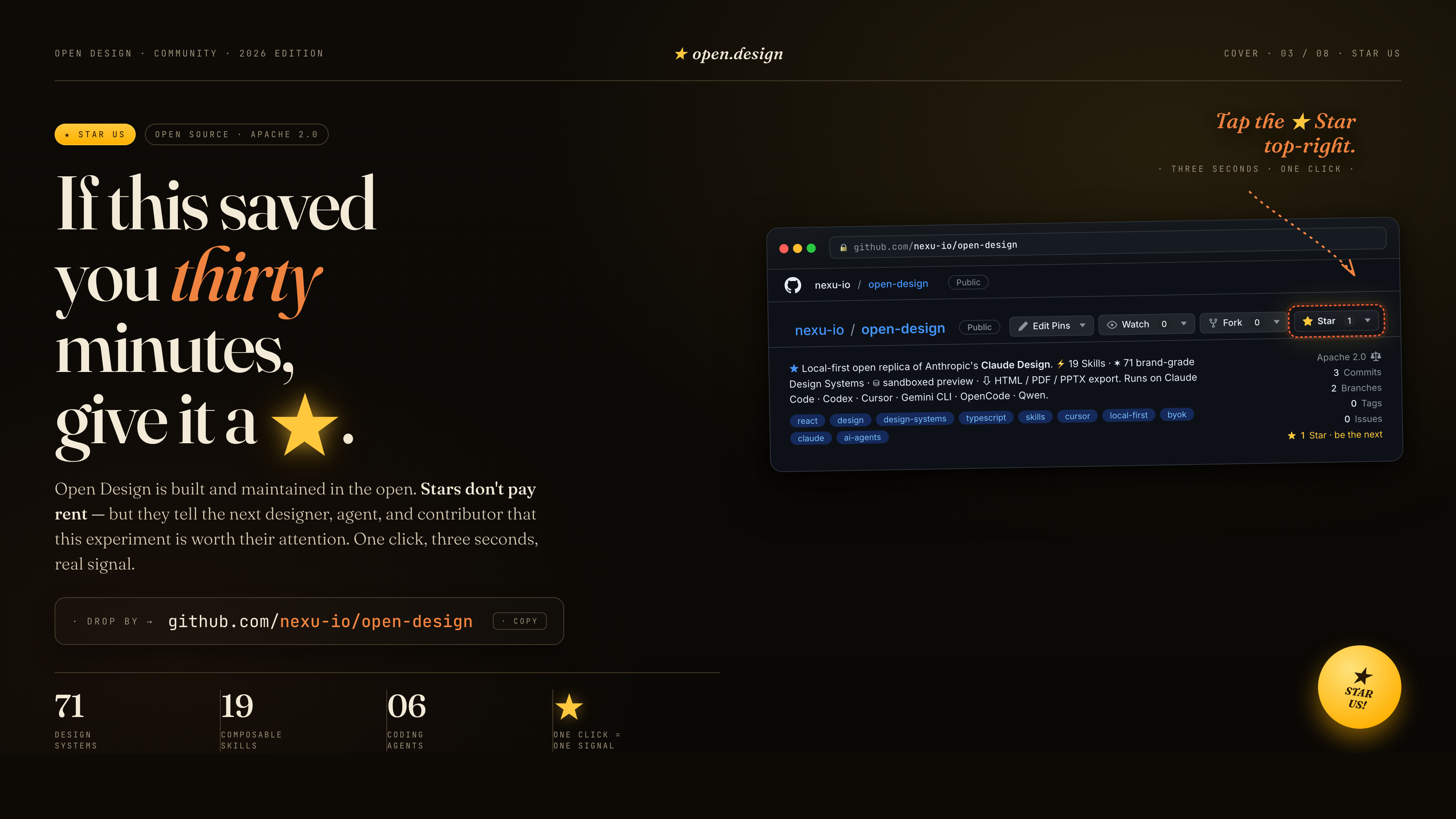
If this saved you thirty minutes, give it a ★. Stars don't pay rent — but they tell the next designer, agent, and contributor that this experiment is worth their attention. One click, three seconds, a real signal.
| Project | Role |
|---|---|
| Claude Design | The closed-source product this repo is the open-source alternative to. |
alchaincyf/huashu-design | The design-philosophy compass — junior-designer workflow, brand-asset protocol, anti-AI-slop checklist, five-dimensional critique. |
op7418/guizang-ppt-skill | The magazine-style web PPT skill, bundled verbatim under design-templates/guizang-ppt/. Default for deck mode. |
lewislulu/html-ppt-skill | The HTML PPT Studio family — 15 deck templates, 36 themes, 31 page layouts, animation runtime, magnetic-card presenter mode. |
OpenCoworkAI/open-codesign | The first open-source Claude Design alternative; UX patterns we borrow (streaming-artifact loop, sandboxed iframe, live agent panel). |
multica-ai/multica | The daemon + adapter architecture — PATH-scan agent detection, local daemon as the only privileged process. |
VoltAgent/awesome-design-md | Historical source of the original 9-section DESIGN.md schema and 70 upstream-derived systems; current packages may extend that baseline. |
bergside/awesome-design-skills | Source of the 57 design skills added under design-systems/. |
heygen-com/hyperframes | The HTML→MP4 motion-graphics framework, integrated as the first-class hyperframes-html in Open Design. |
| Claude Code skills | The SKILL.md convention we adopt verbatim. |
Detailed provenance → docs/references.md.
Apache-2.0. Bundled skills and templates with their own LICENSE files retain those licenses, including design-templates/guizang-ppt/ (MIT, @op7418), design-templates/html-ppt/ (MIT, @lewislulu), and skills/web-clone/ (MIT, @Jane-xiaoer).
name: web-clone
en_name: Website Clone
zh_name: 网站复刻
description: >
  网站复刻 / 克隆方法论。USE WHEN 用户说 复刻网站、克隆网站、clone website、抄个站、仿站、
  照着这个站做一个、reproduce site、还原某个网页效果、把这个站搬下来改成我的、
  复刻某个交互/WebGL/Canvas/Three.js 效果。提供「先拿真源码 → 判路径 → 逆向拆解 →
  搭工程 → 替换内容」的可移植决策树,覆盖静态站 / React-Vue-Next 内容站 /
  WebGL-Canvas 重前端站三大分支,并强制核对任何 AI 二手分析里的可执行代码。
triggers:
  - "网站复刻"
  - "复刻网站"
  - "clone website"
  - "reproduce site"
  - "仿站"
metadata:
  author: jane (xiaoer)
  version: "1.6.0"
  use_case: 个人本地复刻/学习网站,沉淀自 website-clones 克隆中枢
od:
  mode: prototype
  scenario: web-clone
  surface: web
  design_system:
requires: false把"复刻一个网站"做成可重复的流程。在 Open Design 中,默认在当前项目目录工作:NOTES.md、RECON/、CLONE_REPORT.md、CLONE_AUDIT.md 和最终可预览的 index.html 都应写在当前项目内,除非用户明确指定外部工作目录。
Open Design 环境准备(跑任何 scripts/ 前先看):
.od-skills/<插件目录>/scripts/(skill 前言里有确切路径)。文中命令写的 node scripts/xxx.mjs 按该路径解析,例如 node .od-skills/<插件目录>/scripts/recon-site.mjs ...;RECON/、assets/ 等产物仍写到项目根。npm install -D playwright(在项目根);本机装有 Chrome 时脚本会自动走 channel:"chrome",无需再下浏览器,否则补一句 npx playwright install chromium。不许因为"环境没配好"就跳过脚本改为目测——装依赖只要一分钟。任何 AI 生成的"复刻分析/施工图",正文的概念骨架可以参考,但里面的可执行代码块默认全是臆造的,必须逐行用真源码核对,否则照抄必崩。
实证(marbles 案例):一份 AI 分析文档把原站"解析法求光线-球体交点 + 把光学结果编码成位移图、交给 SVG feDisplacementMap 去扭曲真实 DOM"的真架构,臆造成了"ray-marching + SDF + 把 DOM 当纹理采样"——两套完全不同的实现,照抄做不出原效果且慢 N 倍。详见 references/marbles-case.md。
所以第一动作永远是:拿到真源码。
node scripts/init-clone.mjs <站名> --url <原站URL> --in-place
该脚本会在当前项目内创建 NOTES.md、RECON/screenshots/,避免每次手工漏掉产物。
unset SSL_CERT_FILE   # macOS 怪癖,bash 前先解
# 按站名/产品名搜
SSL_CERT_FILE=/etc/ssl/cert.pem gh api "search/repositories?q=<关键词>" \
  | jq -r '.items[] | "\(.full_name) ⭐\(.stargazers_count) \(.description)"' | head -10
# vercel.app/netlify.app/github.io 的 URL slug 常常就是 仓库名 / 部署者用户名
curl -sL https://raw.githubusercontent.com/<user>/<repo>/main/index.html使用可用的浏览器自动化能力或 Playwright,跑探针抽信号(框架 / window.THREE / canvas 数 / 平滑滚动库 / 字体 / scrollHeight)。截图 1440/768/390 三档 + 侦察 JSON 存 RECON/。
优先用内置脚本跑标准侦察:
node scripts/recon-site.mjs \
  --url <原站URL> \
  --out RECON \
  --label original

# 真浏览器全程滚动,把页面真实用到的图片/字体/媒体(含第三方 CDN、防盗链资产)
# 全部拔到本地,并生成 assets/fonts/fonts.css(自托管 @font-face)+ URL→本地路径映射。
node scripts/asset-harvest.mjs \
  --url <原站URL> \
  --recon RECON/original-recon.json \
  --out assets \
  --manifest RECON/asset-manifest.json

node scripts/network-capture.mjs \
  --url <原站URL> \
  --out RECON/network \
  --label original

node scripts/route-crawl.mjs \
  --url <原站URL> \
  --out RECON/routes \
  --label original \
  --max-pages 25 \
  --max-depth 2

node scripts/interaction-probe.mjs \
  --url <原站URL> \
  --out RECON/interactions \
  --label original

node scripts/sourcemap-hunt.mjs \
  --recon RECON/original-recon.json \
  --out RECON/sourcemaps
登录态私域站需要使用当前环境里已登录的浏览器上下文;localhost / 无登录公开站优先用 Playwright 探针。
根据侦察结果先写一版"复刻前预判":复杂度 L1-L6、推荐模式(忠实复刻 / 视觉复刻 / 内容爆改)、预计可还原范围、明确不克隆的部分。分级和评分规则见 references/assessment.md。
模式选择纪律(用户没回答确认项时的默认):用户说的是"复刻/克隆这个网站",默认就是忠实复刻——还原度是这个场景的第一目标。不许因为"原站是商业站/有版权内容"就自作主张降级成视觉复刻、换占位品牌、用排版块替代摄影图:那会被用户直接感知为"图片没抓下来、字体不对、颜色不还原"。正确姿势是先忠实复刻到位(真图真字体真色值全部落地),把版权/商标风险写进 NOTES.md 的"部署前须替换清单",替换动作留给 Step 6 由用户决定。只有用户明确要"做我自己的站/换成我的品牌"时才走视觉复刻/内容爆改。同理,不许因为"目标站是风控敏感的 SPA"就跳过脚本侦察——recon-site.mjs/asset-harvest.mjs 用的就是真浏览器,先跑再说,跑不通再降级并如实记录。
若模式是「视觉复刻」或「内容爆改」 → 顺手产出结构化设计身份 design-dna.json,把"那个站的感觉"变成可版本化、可对照的 token 规范,让 Step 6 替换时"DNA 留着、内容换掉"有据可依:
node scripts/dna-scaffold.mjs \
  --recon RECON/original-recon.json \
  --out   RECON/design-dna.json \
  --name  "<站名>"
脚本会把侦察到的字体/色候选/框架特效信号 best-effort 预填,其余字段人工 Analyze 补全。三维结构(design_system / design_style / visual_effects)、完整 schema、适用边界见 references/design-dna.md。
⚠️ 「忠实复刻」分支不要用 DNA:真源码就是真相,别让"近似风格"的 DNA 稀释逐字节铁律。
| 侦察结果 | 走哪条路 |
|---|---|
| 静态 HTML/CSS,无框架 | wget --mirror 抓镜像 → 删追踪脚本 → 改文案 |
| React / Vue / Next(内容为主) | 重建模板(如 ai-website-cloner-template,Node 24+),灌内容 |
| SPA / SaaS / 数据驱动页面 | 先跑 network-capture.mjs 保存 API fixtures → 本地 JSON/mock server 替身 |
| 多页面官网 / 产品站 | 先跑 route-crawl.mjs 做路由地图 → 每类页面抽模板 → 统一替换内容 |
| 复杂交互站 | 先跑 interaction-probe.mjs 记录 hover/click/scroll/canvas drag 状态 → 按状态补交互,不许只截首屏 |
| WebGL / Canvas / Three.js 重前端 | 深度逆向真源码(见下)→ 忠实复刻 或 找同类开源 3D 模板换内容。单文件原生站常常逐字节保留=最忠实复刻。找不到真源码时走运行时帧捕获 + baseline 闸门,纪律见 references/effect-extraction.md(可委托 web-shader-extractor) |
| 静态构建站(Astro/Vite SSG/Hugo),含重 WebGL | mirror-site.mjs 全量镜像部署资产 → 自托管字体 + 删追踪 → 本地 web 根服务 = 真源码 1:1 忠实复刻。对静态站,"拿到真源码"="镜像部署资产整套"。配方见 references/static-mirror.md。范例:oryzo.ai(Lusion,L6,高斯泼溅,hero 像素 diff 5/5) |
| 用现成开源主题的站(Astro/Hugo 主题) | 去对应主题市场找源主题(仅限套用现成主题的站;定制站走上一行的全量镜像,别来这行) |
L4-L6 复杂站按 references/complex-playbooks.md 走,不要只用普通官网流程。
# 当前 Open Design 项目目录就是复刻工作区。
pwd
# git 源码:clone 到 source/ 或直接放入当前目录;单文件:放进来。原始源码留一份只读基准 index-original.html
# 检查 Node 版本(package.json engines),nvm use 对应版本,钉 .nvmrc
gtag / googletagmanager)、像素、热图——逐行精确切除(GA 块常在 <head> 顶部)。/reference-assets/... 在文件预览里打到 Open Design 应用根导致裸 HTML:node scripts/od-preview-rewrite.mjs --project .
references/deliverables.md。references/assessment.md 给结构 / 视觉 / 交互 / 响应式 / 内容替换 / 功能完整度打分。分数要能被截图、源码、运行结果支撑。isTrusted=false 触发不了拖拽,要如实写,别伪造"拖动成功")。复刻完成后再跑一次克隆站侦察,并生成自动对比报告:
node scripts/recon-site.mjs \
  --url http://127.0.0.1:<端口>/ \
  --out RECON \
  --label clone

node scripts/route-crawl.mjs \
  --url http://127.0.0.1:<端口>/ \
  --out RECON/routes-clone \
  --label clone \
  --max-pages 25 \
  --max-depth 2

node scripts/interaction-probe.mjs \
  --url http://127.0.0.1:<端口>/ \
  --out RECON/interactions-clone \
  --label clone

node scripts/compare-recon.mjs \
  --original RECON/original-recon.json \
  --clone RECON/clone-recon.json \
  --visual-diff RECON/visual-diff-1440.json \
  --original-routes RECON/routes/original-route-map.json \
  --clone-routes RECON/routes-clone/clone-route-map.json \
  --original-interactions RECON/interactions/original-interactions.json \
  --clone-interactions RECON/interactions-clone/clone-interactions.json \
  --out CLONE_REPORT.md

node scripts/visual-diff.mjs \
  --original RECON/screenshots/original-1440.png \
  --clone RECON/screenshots/clone-1440.png \
  --out RECON/visual-diff-1440.json \
  --diff RECON/screenshots/visual-diff-1440.png

# --recon + --strict: 字体/图片/颜色保真硬门槛,有硬伤 exit 2 —— 修完重跑,
# 不通过不许交付。
node scripts/audit-clone.mjs \
  --project . \
  --brand "<原站品牌名>" \
  --recon RECON/original-recon.json \
  --strict \
  --out CLONE_AUDIT.md
复刻最常见的翻车方式不是结构错,而是字体不对、图片没下、颜色目测。以下三条是铁律,audit-clone.mjs --recon --strict 会机器校验:
asset-harvest.mjs --url(真浏览器网络栈)抓,不能裸 curl。产物 assets/fonts/fonts.css 已把 @font-face 改写成本地路径,页面直接 <link rel="stylesheet" href="assets/fonts/fonts.css">,然后 font-family 逐字照抄 recon JSON 里 palette.*.fontFamily / fontFaces[].family 的值。写 -apple-system / "Helvetica Neue" 兜底链顶替原站自定义字体 = 直接不合格。asset-harvest.mjs --url 会滚动全页把懒加载图、srcset 变体、CSS 背景图全部按 asset-manifest.json(originalUrl → localPath)落到 assets/images/。构建页面时照 manifest 机械替换引用;某张图下载失败就换 --recon 兜底源或从 RECON/network 捕获里捞,实在拿不到才允许占位并在 NOTES.md 写明。RECON/original-recon.json 的 palette(body/header/nav/main/footer/buttons 的 computed backgroundColor/color/borderColor)和 rootVariables 就是标准答案;original-summary.md 里也有摘要。写 CSS 变量时直接复制这些值——footer 是 rgb(17,17,17) 就写 #111111,不许写"看起来差不多"的 #0a0a0a。frameworks(lenis / gsap 检测)+ motion(htmlScrollBehavior / scroll-snap 规则数 / sticky·fixed 元素数)就是原站的滚动配方:原站用惯性平滑滚动库就上同款(Lenis 等)或等效实现;有 scroll-snap 就还原 snap;sticky 导航、视差、滚动触发动画逐个对齐。验收时用 interaction-probe.mjs 的滚动序列截图对照原站,滚动中途的状态(吸顶阴影、进场动画触发点)也要像。目标永远是"做用户自己的站",不是搬一个一模一样的。替换三件套:文字(index.html/data/*.json/content/*.md)、媒体(public/assets)、品牌色(CSS 变量 / Tailwind theme)。结构非平凡就写 REPLACE_GUIDE.md。
做过 design-dna.json(视觉/爆改模式)的:这一步就是它的兑现——DNA 留着、内容换掉。把 design_system 落成 CSS 自定义属性、按 design_style 做主观取舍、按 visual_effects.effect_intensity 选实现层级(lightweight CSS / medium Canvas+GSAP / heavy Three.js);素材优先用 asset-harvest.mjs 取原站真图,别 AI 重绘近似。生成流程见 references/design-dna.md。
把交互站拆成技术支柱,逐柱定位真实实现 + 标行号:渲染(WebGL/着色器算法)、合成(SVG filter / 多 canvas / 后期)、物理、交互、音频。然后才去核对任何二手分析。
逆向特效时三件套纪律(治"边抠边美化、最后既不像也说不清"):
SOURCE(真源码/source-map/运行时 dump/帧捕获)、PARTIAL(名字/切片,待证)、GUESS(视觉拟合/魔数)。未标=GUESS,照抄前必须升级到 SOURCE。references/effect-extraction.md(含运行时捕获兜底 + 何时委托 web-shader-extractor)。可迁移的高级范式(值得攒着):
<filter><feDisplacementMap scale=N> 拿它去扭曲真实的、活的、可交互的 HTML——折射的是真 DOM,WebGL 全程不碰 DOM 像素。这是 marbles 的灵魂,也是 Three.js MeshPhysicalMaterial(transmission) 做不到的事(它只能做"玻璃球外观",做不出"折射整个网页")。详细方法 + marbles 真架构逐项拆解 → references/reverse-engineering.md、references/marbles-case.md。
SSL_CERT_FILE=/etc/ssl/cert.pem gh api repos/<u>/<r> | jq '.license' # + 找 LICENSE 文件 + 看 README
| 许可 | 能做什么 |
|---|---|
| MIT / Apache / BSD / Unlicense | 可改、可上线,保留致谢即可 |
| NONE(无 LICENSE 文件 / 未声明) | 默认保留所有权利。仅本地学习/复刻,须署名原作者,未经许可不得公开重新部署。别因为代码公开就当成可自由用 |
| 专有 / 明确禁止 | 只读学习,不复制不部署 |
⚠️ 别把"GitHub 上是公开的"或"gh api 一时查不到"等同于 MIT——核实到底。
NOTES.md(源信息/技术栈/license/替换地图/跑起来命令)TEARDOWN.md(技术拆解,标行号)CLONE_REPORT.md(原站 vs 克隆站完整对比)CLONE_AUDIT.md(追踪脚本、原站品牌/语言残留、TODO、外链风险)RECON/screenshots/:原站 vs 克隆对照图scripts/init-clone.mjs:初始化克隆项目骨架和 NOTES.md。scripts/recon-site.mjs:用 Playwright 打开页面并全程滚动,采集框架/资源/DOM 结构/console 错误、关键区块计算色(palette)、@font-face 规则与真实加载的字体/图片资源清单,并保存三档截图。scripts/asset-harvest.mjs:真浏览器网络栈全程滚动捕获并下载页面真实用到的图片/字体/媒体(含第三方 CDN、防盗链资产),生成 assets/fonts/fonts.css 自托管 @font-face 与 originalUrl→localPath 素材清单。scripts/network-capture.mjs:捕获 XHR/fetch 请求并保存 JSON/text 响应,给 SPA/SaaS 做本地 fixtures。scripts/mirror-site.mjs:真浏览器全程滚动捕获每一个真实请求 → 按路径镜像同源资产(含 JS 运行时 fetch 的 .sog/.buf/.wasm/.riv/字体),给静态构建站(Astro/Vite SSG/Hugo)做 1:1 忠实复刻。详见 references/static-mirror.md。scripts/route-crawl.mjs:爬同站内部链接,按路由保存截图、标题、H1、结构信号,解决多页面站只复刻首页的问题。scripts/interaction-probe.mjs:自动执行 scroll、hover、安全 click、canvas drag,保存交互前后状态、截图、网络和 console 证据。scripts/sourcemap-hunt.mjs:从 JS chunk 里找 source map,能拿到就保存源码映射。scripts/compare-recon.mjs:读取原站与克隆站的侦察 JSON、路由图、交互证据,生成 CLONE_REPORT.md。scripts/visual-diff.mjs:用浏览器 canvas 做截图像素差异,输出 visual score 和差异图。scripts/audit-clone.mjs:扫描追踪脚本、原站品牌残留、日文残留、TODO、外部 URL 风险;带 --recon --strict 时额外校验字体自托管/图片落地/关键区块颜色逐字一致,有硬伤 exit 2。scripts/od-preview-rewrite.mjs:把 HTML/CSS/SVG 里的项目根资源引用(如 /reference-assets/main.css)改成相对路径,保证 Open Design 文件预览和导出 zip 在嵌套路由下仍能加载资源。scripts/dna-scaffold.mjs:从侦察 JSON 生成 design-dna.json 设计身份骨架(字体/色候选/框架特效信号 best-effort 预填),给「视觉复刻 / 内容爆改」模式用。详见 references/design-dna.md。./marbles-clone/ — 原生 WebGL + SVG Filter + 自研物理的玻璃弹珠站,逐字节忠实复刻 + 完整 TEARDOWN,是"WebGL 重前端分支"的范例。
评论 (0)
暂无评论,成为第一个评论者吧!